
Promotions and offers
A promotion is a deal with a shelf life — a spring discount, a first-month-free trial, a bundle you’re pushing this quarter. Where your products are the steady catalog, promotions are the limited-time offers layered on top. Set the dates once and your AI teammate cites the right deal while it’s live, then stops the moment it ends — no stale coupon mentioned a week too late.
Open it from Sales in the sidebar, then the Promotions tab.
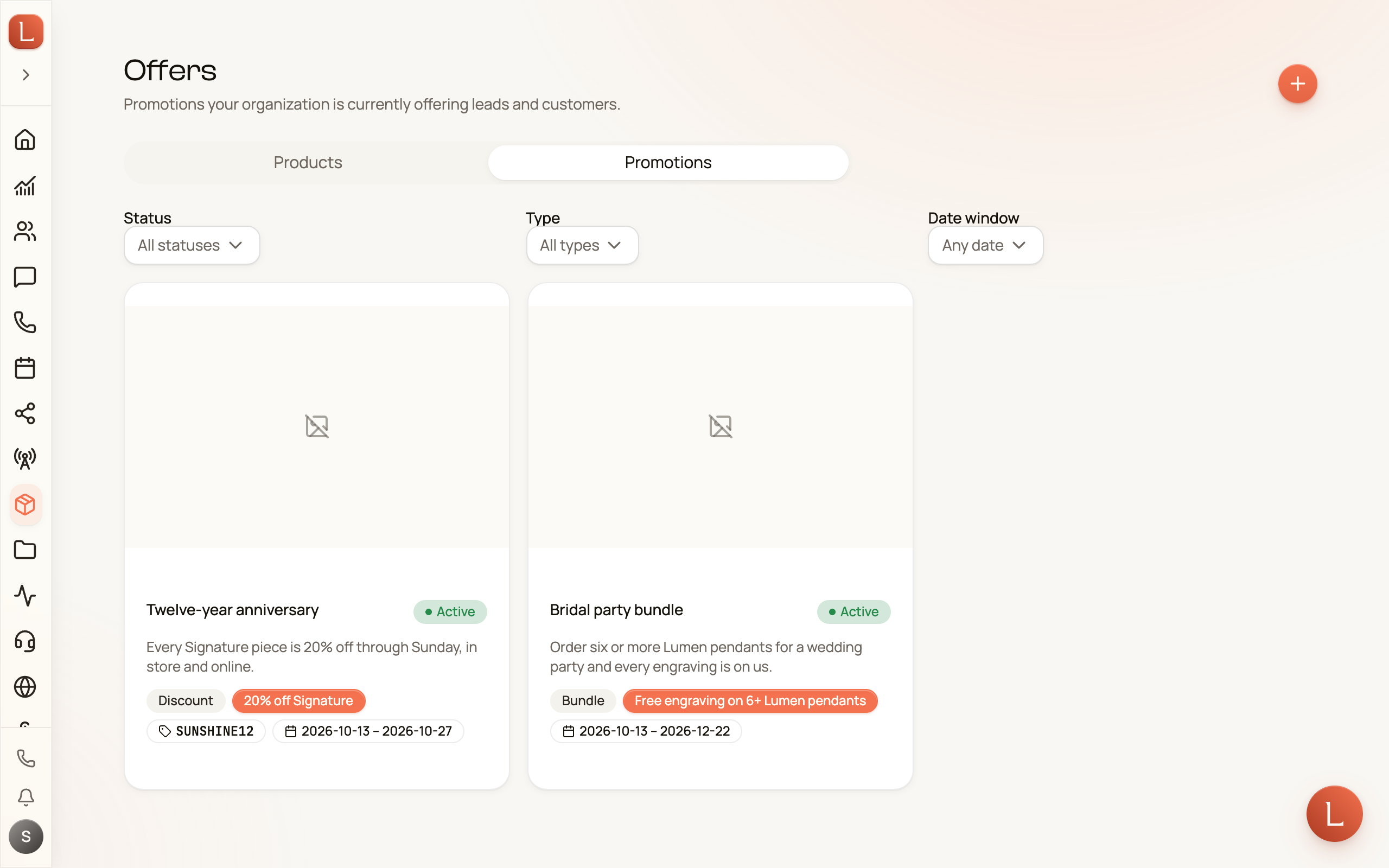
The four kinds of offer
Section titled “The four kinds of offer”When you create one, you pick a Type so your team knows how to describe it:
- Discount — a percentage or amount off (“20% off”).
- Free trial — a no-cost period to get started (“First month free”).
- Bonus — something extra thrown in.
- Bundle — several things sold together for one price.
- Other — anything that doesn’t fit the above.
Alongside the type you set a Value in plain words (“20% off”, “$50”, “First month free”) — the phrase your teammate uses when it brings the deal up.
Set the window, add a code
Section titled “Set the window, add a code”The heart of a promotion is when it’s valid. Under Availability you pick a Valid period — a window with a start and an end. You can also add an optional Promo code (like SPRING20) that a Contact redeems.
-
On the Promotions tab, tap New offer.
-
Give it a Name, Description, Type, and Value under Offer details.
-
Set the Valid period under Availability, and add a Promo code if there is one.
-
Save, then set the Status to Active when it’s ready to run.
For finer control, the Targeting & fine print section holds target tags, eligibility notes, and terms & conditions — the small print your team can lean on when a Contact asks who qualifies.
Deals expire on their own
Section titled “Deals expire on their own”Every promotion has a Status, and this is where the window earns its keep:
- Draft — still being written; hidden from your team.
- Active — live and being cited while inside its valid period.
- Paused — temporarily switched off, but kept in the list.
- Expired — set automatically once the valid period ends.
You never have to remember to turn a deal off. When the end date passes, Loquent marks it Expired for you, and your teammates stop mentioning it. That’s the whole point of a validity window: the offer your team quotes is always the one that’s actually running today.
How promotions reach your Contacts
Section titled “How promotions reach your Contacts”Your teammate drafts replies for you to approve — it won’t fire off a coupon on its own. A well-set promotion simply means that when a Contact is a good fit, the draft your teammate hands you already mentions the current deal and its code, ready for your one-tap approval.
To keep the underlying catalog sharp, see Your products and services. To follow how a draft reply reaches you, read Drafts, approvals, and escalations.