
Loquent on your iPhone and Android
Loquent has apps for iPhone and Android, and they run the same Loquent you use in the browser — the same Home, the same conversations, the same team. Nothing new to learn. You just carry it in your pocket, so a Contact’s question or a call that needs you finds you wherever you are.
Sign in with the account you already have
Section titled “Sign in with the account you already have”The app is your Loquent, on a phone. There’s no separate mobile account and no extra setup.
-
Download Loquent from the App Store (iPhone) or Google Play (Android).
-
Open it and sign in with the same email and password — or the same Facebook button — you use on the web. See Create your account if you haven’t yet.
-
You’re in. Your team, your Contacts, and everything waiting on you are right where you left them.
The bottom bar is your team, one thumb away
Section titled “The bottom bar is your team, one thumb away”Across the bottom of every main screen sits a small floating bar: five tabs that cover the day, with your AI teammate between Messages and Calls.
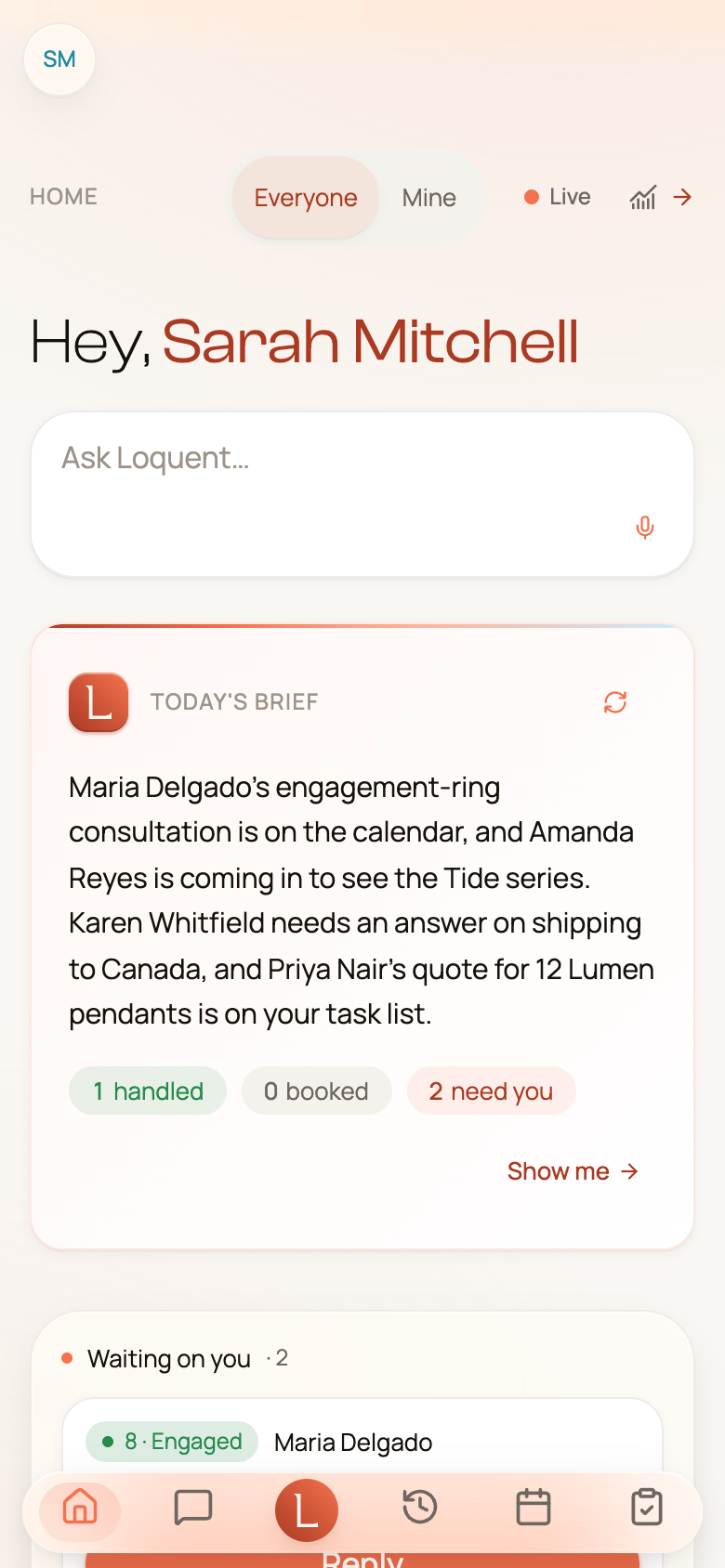
- Home — your daily brief and everything that needs you. Read it like a morning stand-up (see Home: your daily brief).
- Messages — every conversation, with the drafts your team wrote for your approval.
- The Loquent mark, between Messages and Calls, is your assistant. Tap it and it opens in a sheet that fills the screen; ask for anything in plain language, then swipe the sheet down or tap ✕ to close it.
- Calls — your call history, with recordings and summaries.
- Calendar — appointments, deadlines, and reminders (see Your calendar).
- Tasks — the shared to-do list you and your team keep.
Everything else — Contacts, Notifications, Settings, and more — lives behind the round button in the top-left corner that shows your initials. Tap it to slide open the full menu.
Push alerts bring the moments that need you
Section titled “Push alerts bring the moments that need you”With the app installed, Loquent taps you on the shoulder when something matters — a call your team just handled, a follow-up reminder, or an escalation where a teammate needs your decision. Tap the alert and Loquent opens straight to the right screen, so you can answer in a second and get on with your day.
When a teammate pauses to ask you something, that’s an escalation. You answer in plain words and the conversation picks right back up — the same flow as on the web. Read how it works in Drafts, approvals, and escalations.
Swipe to clear things fast
Section titled “Swipe to clear things fast”The lists work the way your phone already does — a short swipe on a row reveals a quick action.
- In Messages, swipe a conversation to mark it Read without opening it.
- In Tasks, swipe a card to mark it Complete (or Reopen it), or to Delete it.
Every swipe is just a shortcut — you can always tap the row to open it and do the same thing there. On a detail screen, the floating chevron in the top-left takes you back.
That’s the whole of it: sign in once, and your team is with you — drafting replies, flagging what needs you, and waiting for your one-tap approval, from anywhere.