
Welcome to Loquent
Loquent is an AI team for your business phone line. It answers your calls, texts, and web chats, writes the reply, and hands you only the things that actually need you. You stay the owner — you direct the work and approve what goes out. Your team does the typing.
Think of it as hiring a capable front desk that never sleeps. When a Contact — that’s your own customer — calls or messages, your AI teammate picks it up, drafts a response in your voice, and waits for your nod before anything is sent.
What your team does for you
Section titled “What your team does for you”Your AI teammate handles the first touch on every channel — a phone call, a text, an email, a chat on your website — so nothing goes unanswered. It drafts the reply, notes what the Contact needs, and files it all against the right person in your Contact book.
Then it steps back. Anything that needs a decision, a price, or a human touch comes to you as a clear, short ask. Everything routine, it just handles. You spend your day on the handful of things that matter, not the inbox.
Your Home page, at a glance
Section titled “Your Home page, at a glance”When you sign in, you land on Home — your team’s morning stand-up in three bands:
- What needs you — replies to approve and questions your team raised, all in one place.
- What your team did — the work already handled while you were away.
- What’s next — what’s coming up, so nothing slips.
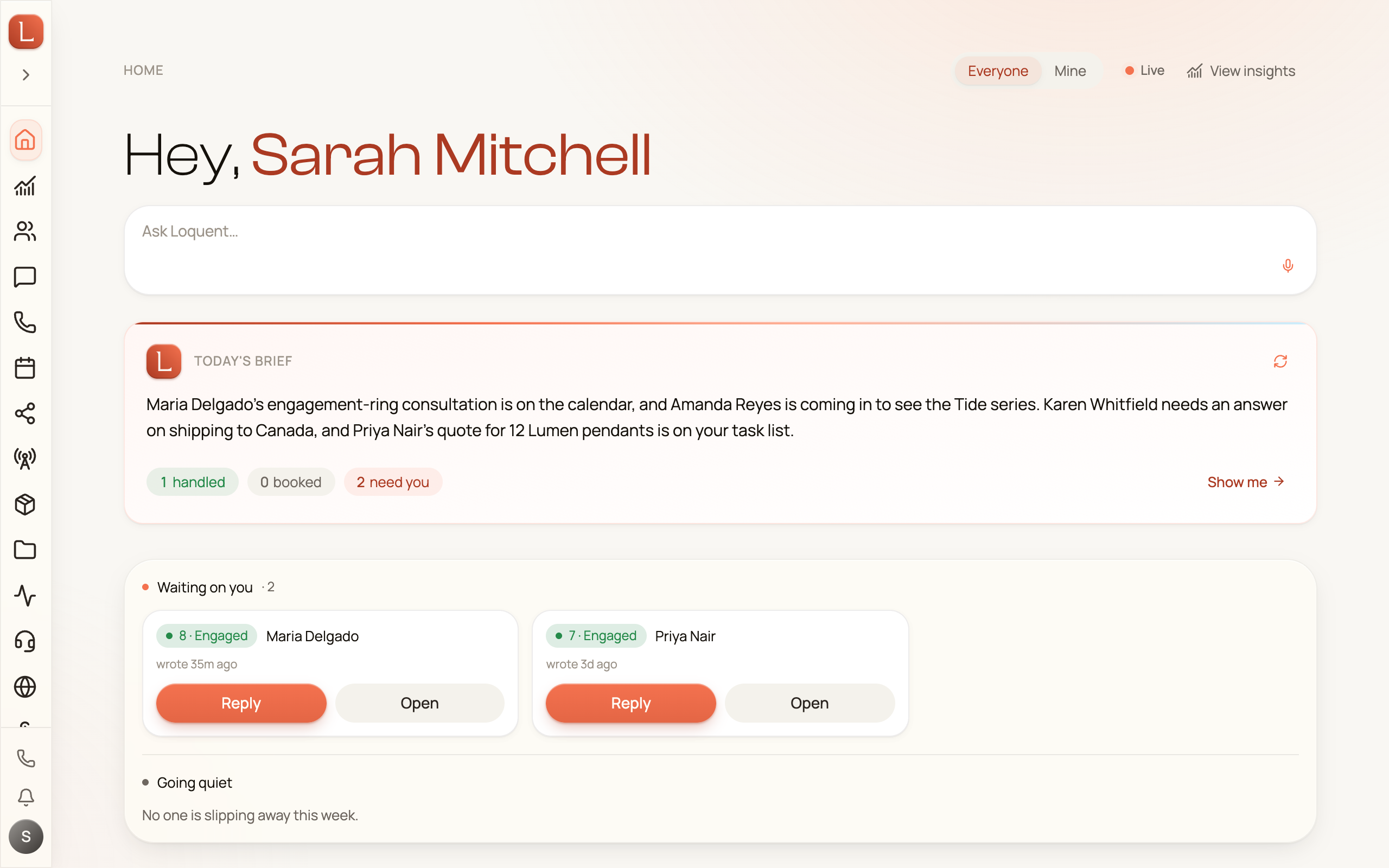
Home has its own guide when you’re ready — Home: your daily brief and Needs you.
A quick tour of the sidebar
Section titled “A quick tour of the sidebar”The left sidebar is how you move around. The areas you’ll use most:
- Dashboard — your Home page and daily brief.
- Messaging — every text, email, and web chat in one inbox.
- Calls — a live board of what’s on the phones now, plus the full call history.
- Contacts — your customer book, with the whole history for each person.
- Teammates — your AI team’s roster. This is the sidebar item labeled “Teammates”.
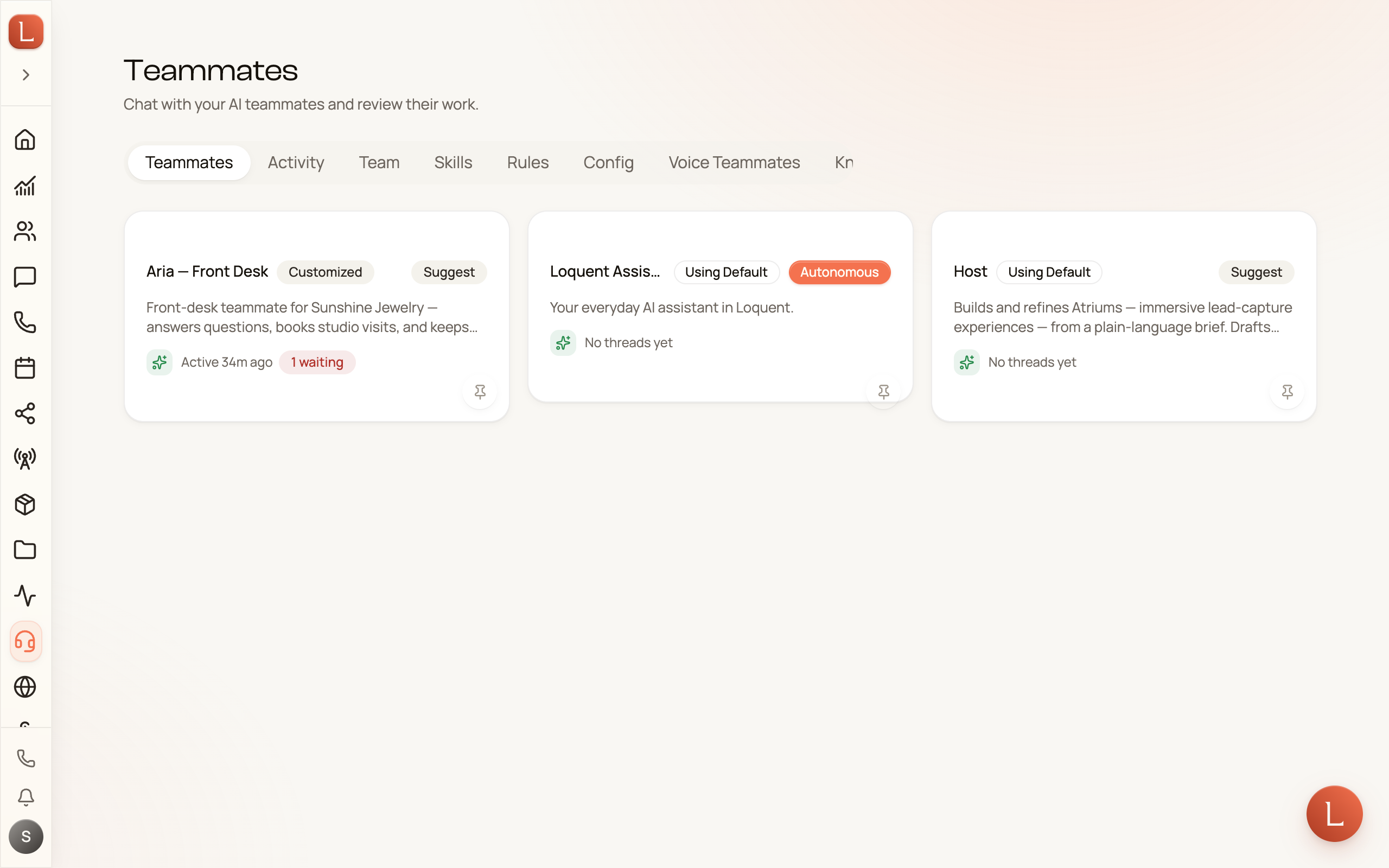
You won’t fill out long forms to build your team. You create new teammates by simply telling your Loquent Assistant what you need, in plain language.
The fifteen-minute path
Section titled “The fifteen-minute path”From a brand-new account to a teammate answering your business number takes about fifteen minutes:
-
Build your team from your website: tell Loquent your business and watch it set up your workspace and your first teammate.
-
Meet your AI team — a quick interview, the team you start with, and your business profile.
-
Get your business number so calls and texts have a home.
-
Put your teammate on the line to answer that number.
-
Have your first conversation and watch a draft come back for your approval.
New to the ideas behind it all? Start with Your AI team.