
Set what a teammate is allowed to do
Every AI teammate has a set of switches for what it’s allowed to do — look up Contacts, remember details, search the web, send on each channel. You decide which ones are on. Grant a teammate only what its job needs, and nothing it doesn’t.
Open Teammates from the sidebar, pick a teammate, and choose the Capabilities tab. Every switch here saves the instant you flip it.
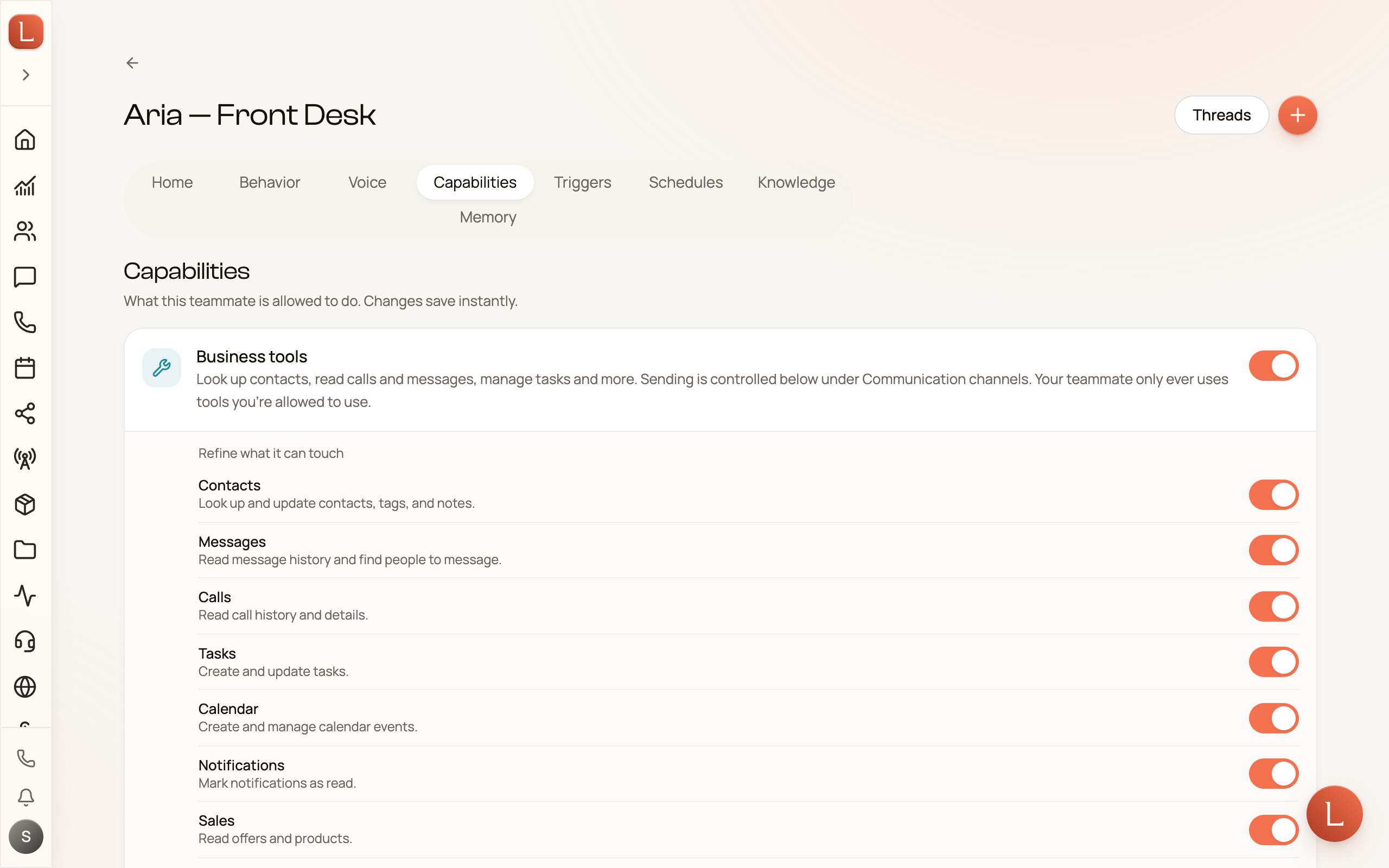
The switches, in plain terms
Section titled “The switches, in plain terms”- Business tools — look up Contacts, read calls and messages, manage tasks, and more. Turn this on and a nested Refine what it can touch panel appears, so you can grant, say, Contacts and Messages without opening up everything.
- Remember information — let the teammate keep its own notes between conversations: preferences, recurring questions, what worked.
- Remember people — let it keep notes about each Contact, so replies feel personal over time.
- Ask you for help — when it’s unsure, it stops and asks you instead of guessing. (This is how escalations reach you.)
- Search the web — look things up online and read web pages, up to 30 lookups a day per workspace.
Below those is Communication channels — which channels a teammate may send on. There are four rows — SMS, Email, Web chat, and WhatsApp — all on by default; switch one off to stop the teammate sending there.
Permission is not the same as autonomy
Section titled “Permission is not the same as autonomy”This is the one distinction worth keeping straight, because the two switches answer different questions:
- Capabilities answer “may it?” — is the teammate even allowed to touch this? A teammate with the email channel switched off simply cannot send email, full stop.
- Autonomy answers “does it send on its own?” — when the teammate is allowed to reply, does it draft for your approval, or send without you? That’s the Suggest-versus-Autonomous dial, and it’s set elsewhere.
So a capability grants the ability; autonomy decides whether that ability runs with you in the loop. The default everywhere is Suggest — your teammate writes a draft and waits for you, even when a channel is switched on. Read the full picture in Autonomy: Suggest vs. Autonomous.
The advanced view
Section titled “The advanced view”The friendly switches cover almost everything you’ll need. If you want to see the exact individual tools behind them, expand Advanced tools at the bottom of the tab — a per-tool list with a count of how many are on. The friendly switches above are simply shortcuts over these, so the two always stay in sync. Most Leaders never open it.
Tools that change the teammate itself or your team, such as editing its profile or creating teammates, only work when you’re the one talking to it, never in a conversation with a Contact.
One switch worth knowing lives only here: Sharing a form, which lets a teammate send a Contact a private form link mid-conversation to collect photos or documents. See Let a teammate ask for photos and files.
Capabilities set what a teammate can do; rules set what it must and must never do. See how you shape behavior and rules, and to teach a teammate your real facts, the knowledge bases page comes next.