
Your team and your teammates
Loquent gives you a team. You are the Leader — you say what you want and approve the work. Your team is a set of AI teammates, and each one has a job: answering the phone, texting Contacts back, following up on new leads. You direct them the way you’d direct people who work for you.
This page is the mental model. Once it clicks, the rest of Loquent is easy.
You lead, your team works
Section titled “You lead, your team works”Think of yourself as the owner walking the floor. You don’t do every task by hand — you tell your team what matters, glance at what they’ve done, and step in on the few things that need you.
Your AI teammate handles the day-to-day. You stay in charge of the decisions.
By default, a teammate never sends anything on its own. It writes the reply and hands you a draft to approve — this is called Suggest. You can later let a teammate send on its own, but only after you turn that on yourself. See Suggest vs. Autonomous.
Meet your team
Section titled “Meet your team”Open Teammates in the sidebar — the item labeled with a headset. Every teammate you own shows up here as a card.
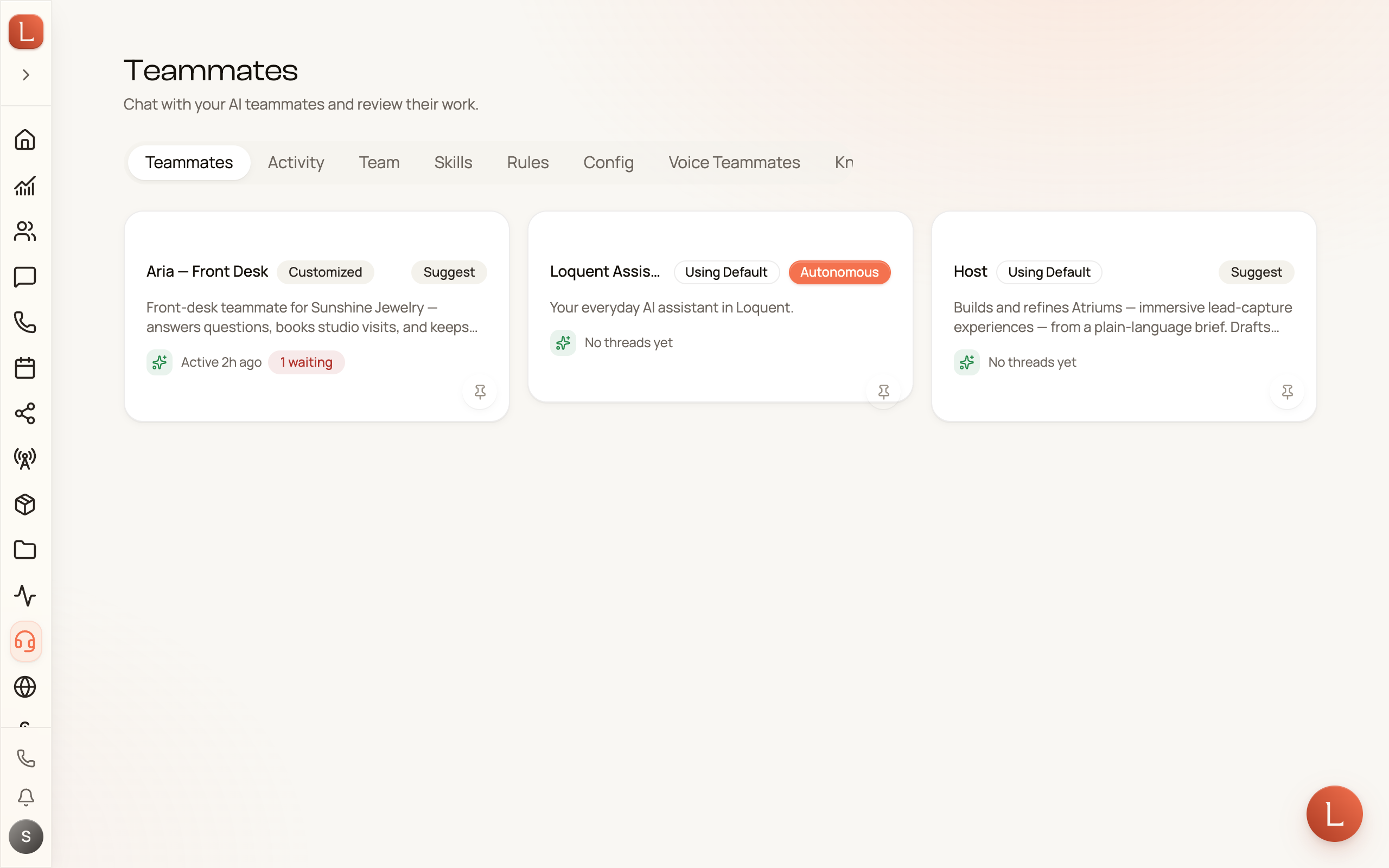
You start with one teammate of your own: the Loquent Assistant, Your everyday AI assistant in Loquent. Think of it as your chief of staff. You talk to it in plain language — on its card, or from Ask Loquent on any screen — and it helps you get work done across Loquent and sets up the rest of your team for you. Each person who signs in to your account gets an assistant of their own. More in Ask for anything, anywhere.
What every teammate has
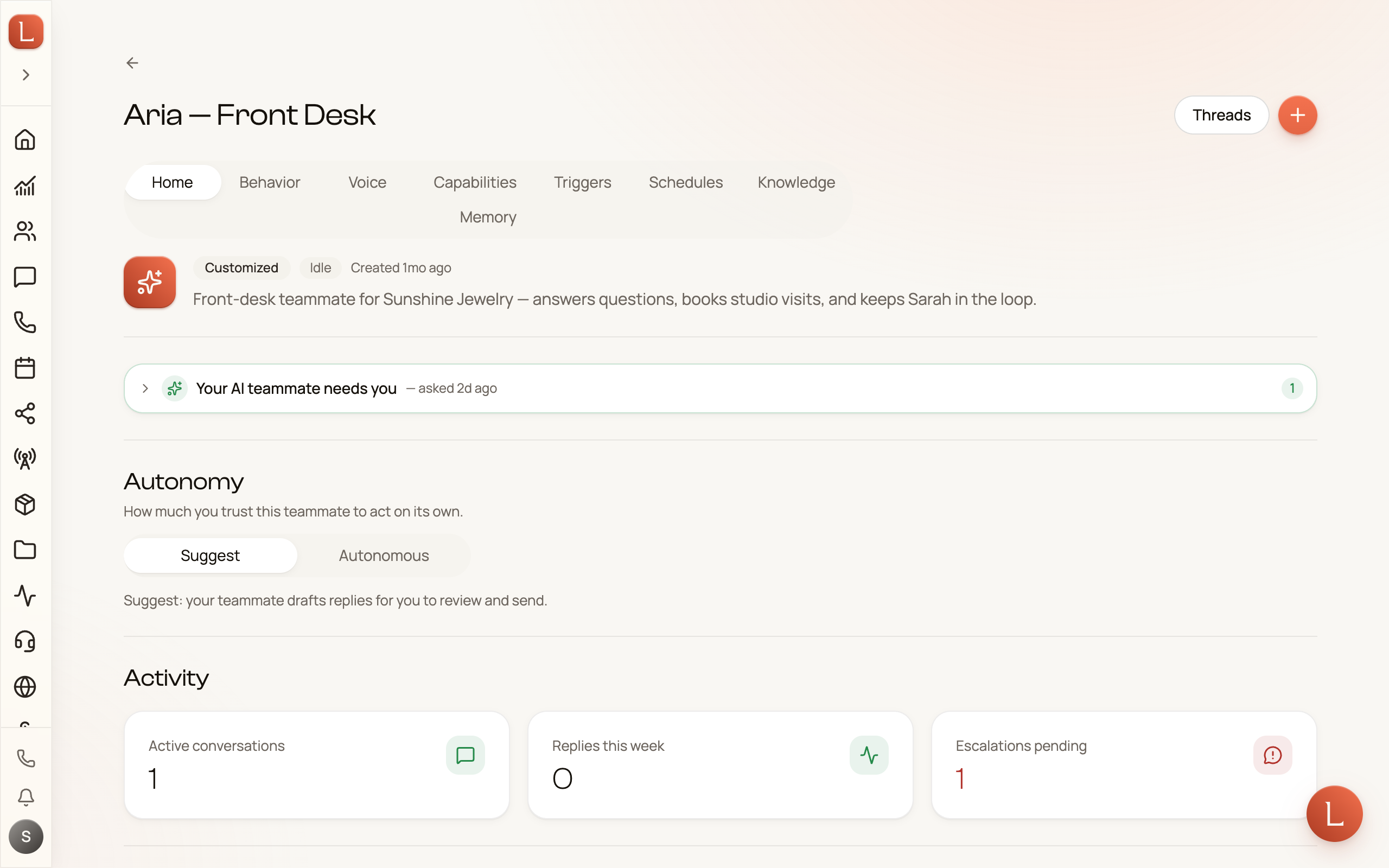
Section titled “What every teammate has”Open a teammate to see its control room. Along the top are tabs — the same set for every teammate:
- Home — what this teammate has been up to lately.
- Behavior — who it is and what it’s trying to do: its personality, its goals, its tone.
- Voice — how it sounds when it answers the phone.
- Capabilities — what it’s allowed to do, like sending a text or booking a time.
- Triggers — what wakes it up: a missed call, a new text, a form someone filled in.
- Schedules — what it does on a timer: the routines it repeats and the follow-ups it has lined up.
- Knowledge — the facts about your business it answers from.
- Memory — what it has learned and remembered along the way.
How you direct a teammate
Section titled “How you direct a teammate”You don’t fill in forms to give a teammate its marching orders. You talk to it.
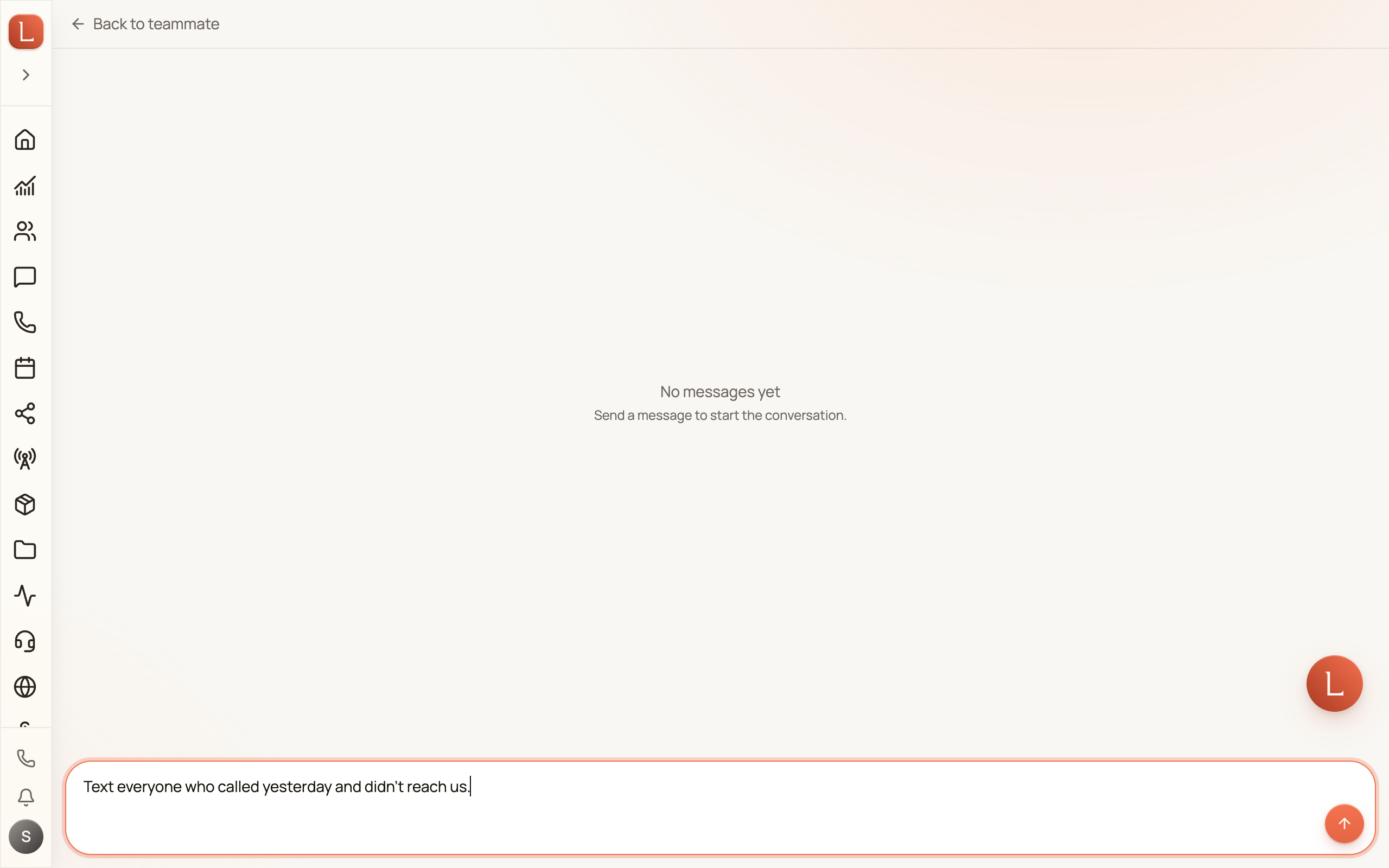
From a teammate’s page, tap New Thread and just say what you need — “text everyone who called yesterday and didn’t reach us.” The teammate does the work and brings back a draft or a question for you.
How new teammates are created
Section titled “How new teammates are created”You don’t build a teammate from a blank form. You ask for one.
-
Open your Loquent Assistant: tap its card on the Teammates page and start a New Thread, or press Ask Loquent.
-
Describe the job — for example, “I need a teammate that follows up with new leads from my website.”
-
Your assistant sets it up, and the new teammate appears on your Teammates page, ready to review.
That’s the whole idea: you lead, you ask, and your team does the work — bringing you only what needs a human.
Where to go next
Section titled “Where to go next”- New here? Start with Meet your AI team.
- Learn how work reaches you in Drafts, approvals, and escalations.
- See how conversations flow in Contacts, conversations, and channels.