
Reusable skills — your team's playbooks
A skill is a playbook — how your business handles one situation, written down once so any AI teammate can follow it. “What we do when someone asks about warranty.” “How we run an intake.” “The follow-up ladder after a quote.”
It is worth keeping two things apart:
- A knowledge base holds your facts — prices, hours, policies. See knowledge bases.
- A skill holds your procedure — the trigger, the steps in order, and the exceptions.
Facts answer what is true. A playbook answers what to do.
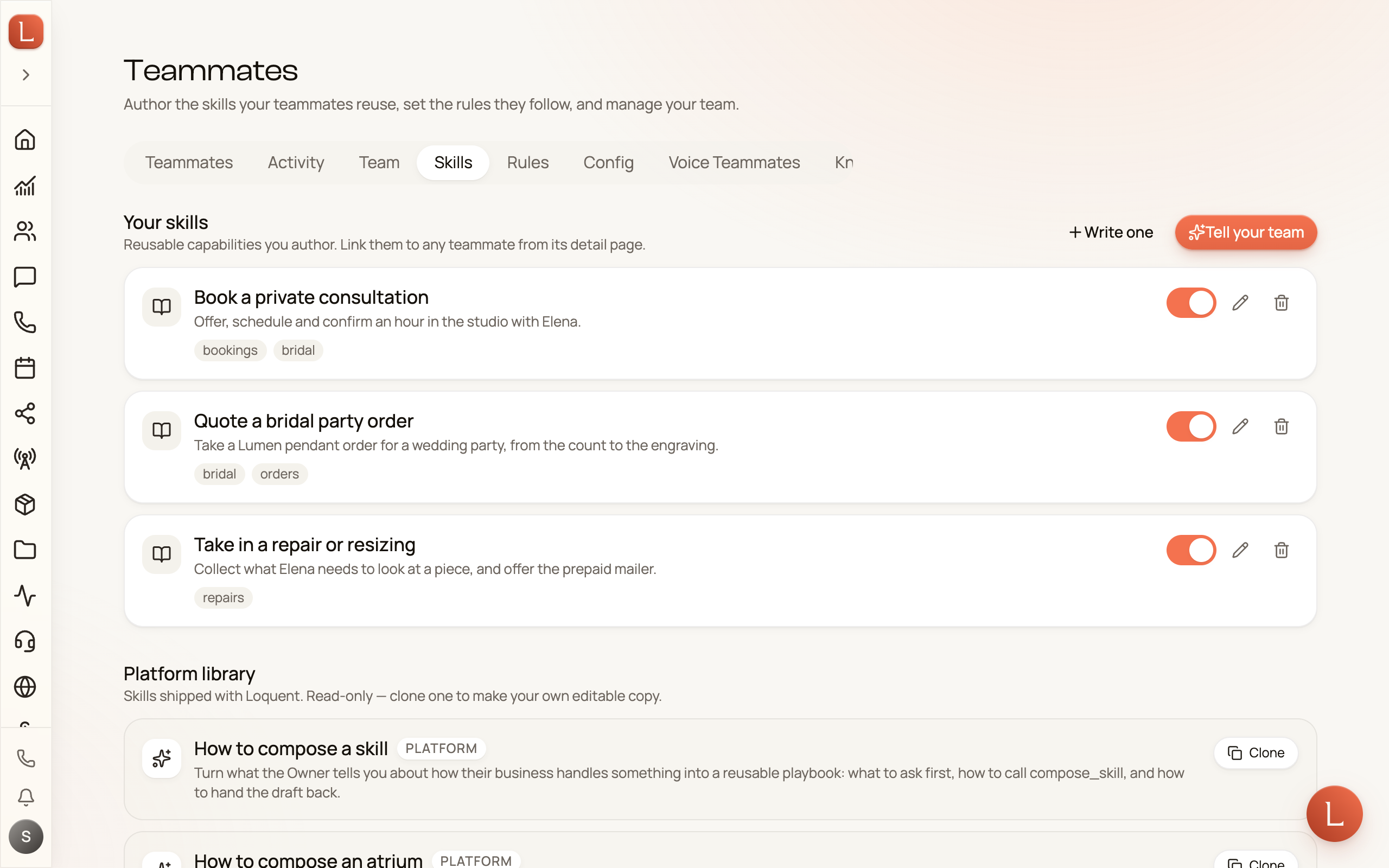
Find them under Teammates in the sidebar, then Skills.
Just say it — the Librarian writes it down
Section titled “Just say it — the Librarian writes it down”You do not have to face a blank editor. Describe the procedure in your own words and a teammate called the Librarian turns it into a playbook.
-
On the Skills page, select Tell your team. A conversation opens with your Librarian.
-
Tell it how the thing is handled — in whatever order it comes out. It listens for three things: when a teammate should reach for this, what happens in order, and the exceptions — the edge cases and anything they must never do. If one of those is missing and it matters, it asks. If you have already said enough, it gets out of your way.
-
It writes the playbook and hands it back as a card headed Playbook drafted, with a plain-language summary of what it wrote. Select Show exact wording to read the playbook itself.
-
Happy with it? Select Activate.
Your Librarian is yours alone. Colleagues cannot open your composer conversation, and it never appears in the pickers for phone lines, web chat, or social channels — it writes playbooks, it does not talk to Contacts.
It writes in your words wherever it can. Your phrasing is how your team already talks; swapping it for generic business English makes a playbook harder to follow, not easier. It will not invent business facts you did not give it — no prices, hours, policies, names, or links.
If your playbook mentions one specific person’s details, the card flags it before you switch it on — “This playbook has a phone number in it — worth a look before you switch it on.” A playbook is meant to be reusable, so a single Contact’s details usually belong in that Contact’s record instead. It is a heads-up, not a block, and it never rewrites your text.
Or write one yourself
Section titled “Or write one yourself”The editor has not gone anywhere. On the Skills page choose Or write one yourself (or Write one), and fill in the title, the short description, and the playbook body.
Both routes produce the same thing, and the same limits apply either way — a playbook can run to 16,000 characters, and an organization can have 50 skills switched on at once.
Skills the Librarian wrote carry a Written by Librarian badge in the list, so you can always tell at a glance which playbooks came from a conversation and which you typed.
Give a skill to your teammates
Section titled “Give a skill to your teammates”Switching a skill on makes it available; it does not hand it to anyone. Open the teammate you want to use it, find the Skills section on their page, and select Add skills.
That separation is deliberate. The same playbook can go to three teammates and not a fourth, and you can take it back from one of them without touching the playbook itself.
Start from the platform library
Section titled “Start from the platform library”The Platform library tab holds ready-made playbooks. Select Clone on one to copy it into Your skills, then edit it to match how you actually work. Cloning gives you your own copy — later changes to the platform original do not reach it, and your edits never affect anyone else.
Where to go next
Section titled “Where to go next”- Teach your team with knowledge bases — the facts your team answers from.
- Behavior and rules — persona, goals, and the rules every teammate must follow.
- Capabilities: what a teammate may do — the switches that decide what a teammate is allowed to do at all.