
Your presence and personal queue
Your availability decides where a call goes. A quick status you set once tells Loquent whether to ring you, hold the caller, or let your AI teammate step in — so you’re reachable when you want to be and protected when you don’t.
Available, Busy, Away
Section titled “Available, Busy, Away”Open your account menu — tap your avatar at the bottom of the sidebar, or the avatar in the drawer on your phone — and you’ll find a small status control with three choices:
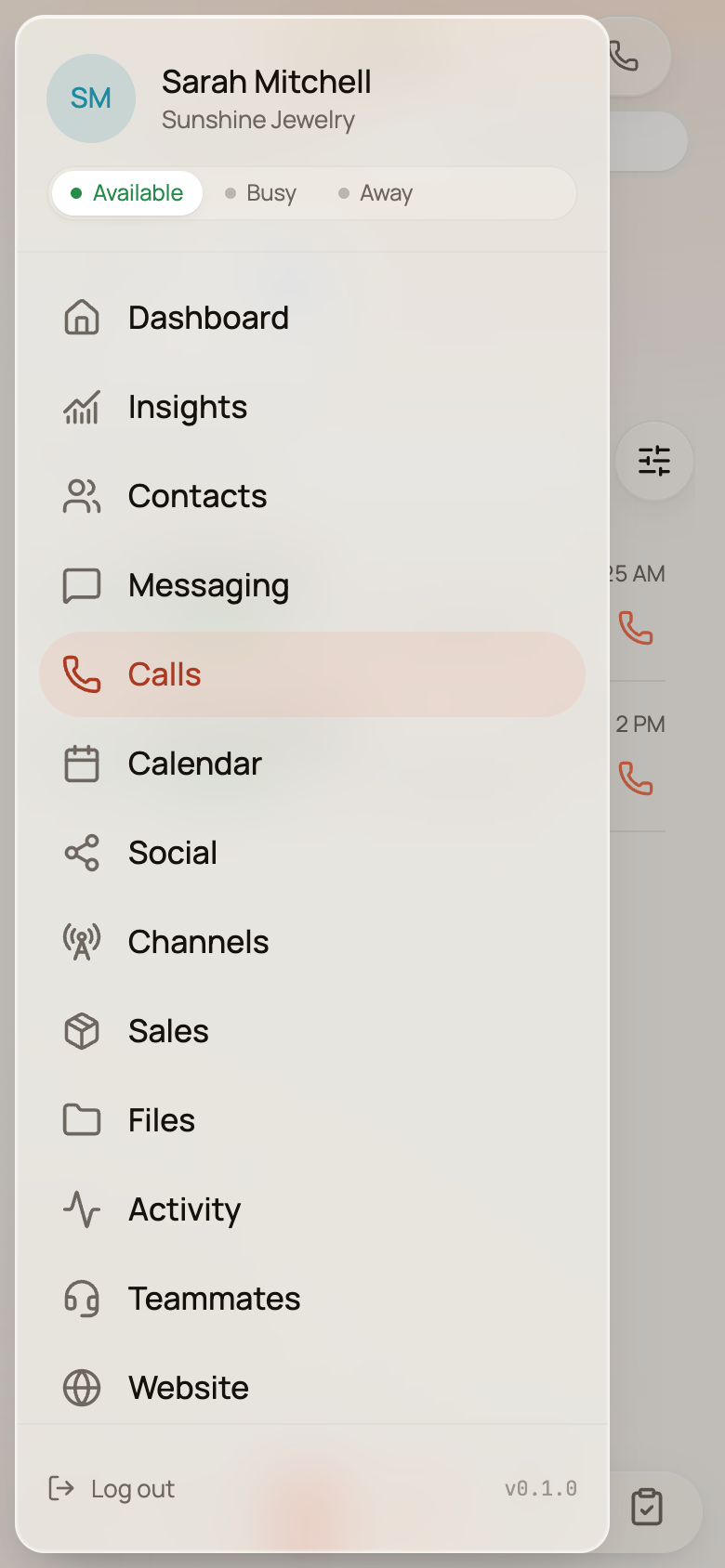
- Available — you’re on the floor. Calls and transfers meant for you ring your device.
- Busy — you’re heads-down. Callers wait or route elsewhere rather than interrupting you.
- Away — you’re off. Calls skip you entirely.
It’s one tap, and it takes effect immediately. When you’re actually on a Loquent call, the control shows a read-only On a call — the system knows you’re busy without you having to say so, and your chosen status comes back the moment you hang up.
Your status is also what your colleagues see when they go to transfer a call. Someone deciding whether to hand a caller to you sees Available, Away, or On a call right next to your name, so calls flow to whoever can actually take them.
Callers waiting for you
Section titled “Callers waiting for you”When a caller is holding for you, a Waiting for you card appears at the top of your Calls screen. Each waiting caller shows their name (or number), how long they’ve been holding, and where the call came from.
Tap Accept and you’re connected — the caller comes off hold and your device rings into the call. If someone else grabs the caller first, the row simply clears; no error, no double-answer.
Your team is the safety net
Section titled “Your team is the safety net”No one waits forever. While a caller holds, they hear hold music and their place in line. If you don’t pick up in time, your AI teammate steps in, takes a message, and makes sure the caller is looked after rather than left hanging. You’ll see the call — and the message — waiting for you afterward in your call history.
The whole floor at a glance
Section titled “The whole floor at a glance”For the live, org-wide picture — every call on the line right now (whether a teammate or a person is handling it), everyone waiting, transfers in flight, and which of your people are on shift — open the Call Center tab at the top of the Calls area. It’s the real-time board for a busy phone day.
To learn how a call gets handed to you in the first place, read calling and answering in Loquent.