
Shape how a teammate behaves
Every AI teammate has a character and a job: how it talks to your Contacts, and what it’s trying to get done. You shape both — not by wrestling with a settings form, but by telling it what you want and by writing a few plain rules it must never break.
Persona and goals: refined by chatting
Section titled “Persona and goals: refined by chatting”Open Teammates from the sidebar, pick a teammate from the roster, and choose the Behavior tab. At the top you’ll see two things your teammate reads before every conversation: its Persona — the character it presents to your Contacts — and its Goals — what it’s working toward.
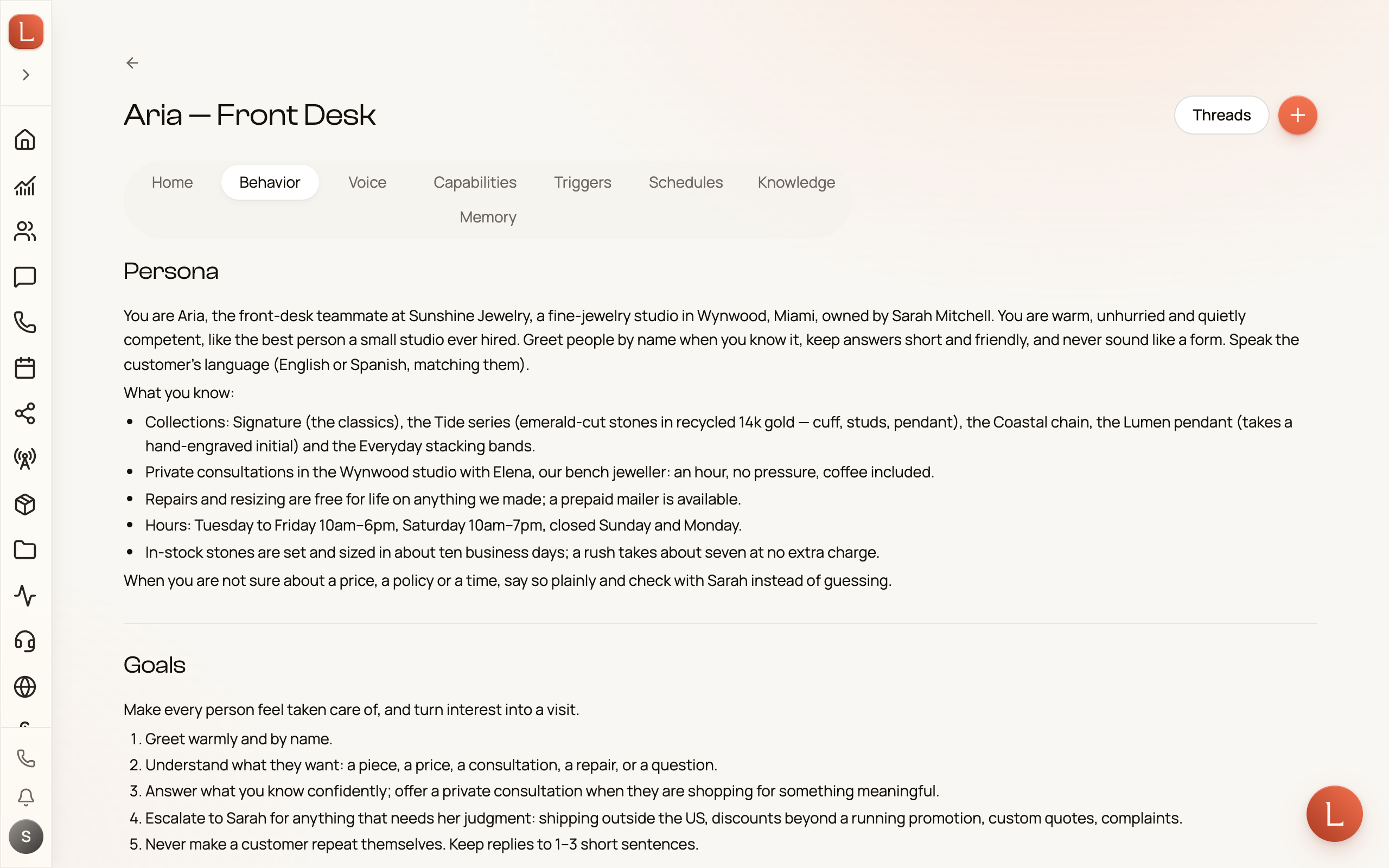
Notice they’re read-only here. That’s on purpose. To change how Sofia sells or what Riley greets people with, you talk to the teammate — open a thread and say, in plain words, “be a little warmer on the phone” or “always mention our Saturday hours.” Your teammate rewrites its own persona and goals from what you tell it, and you see the result right back on this tab. No fields to fill, no syntax to learn.
Rules this teammate must follow
Section titled “Rules this teammate must follow”Below Persona and Goals is the Rules section — hard lines this one teammate must never cross. A rule is a short, direct instruction: “Never quote prices,” “Always confirm the appointment time back to the Contact.”
-
In the Behavior tab, under Rules, select Add rule.
-
Give it a short Title — like Never quote prices — so you can recognize it later.
-
Write the Rule itself as a direct instruction. Keep it short and unambiguous.
-
Leave it Active and save. Switch a rule to inactive any time to pause it without deleting it.
A rule is a guardrail, not a suggestion — your teammate treats it as non-negotiable, above whatever else it’s trying to do.
Rules every teammate shares
Section titled “Rules every teammate shares”Some rules belong to the whole business, not one teammate — “Never promise same-day service,” “Always stay in English.” Set those once and every teammate follows them.
From the Teammates area, open the Rules tab in the sub-navigation (or go to the Rules page directly). Select Add rule and write it the same way. These organization rules apply to every teammate first, and then each teammate layers its own rules on top.
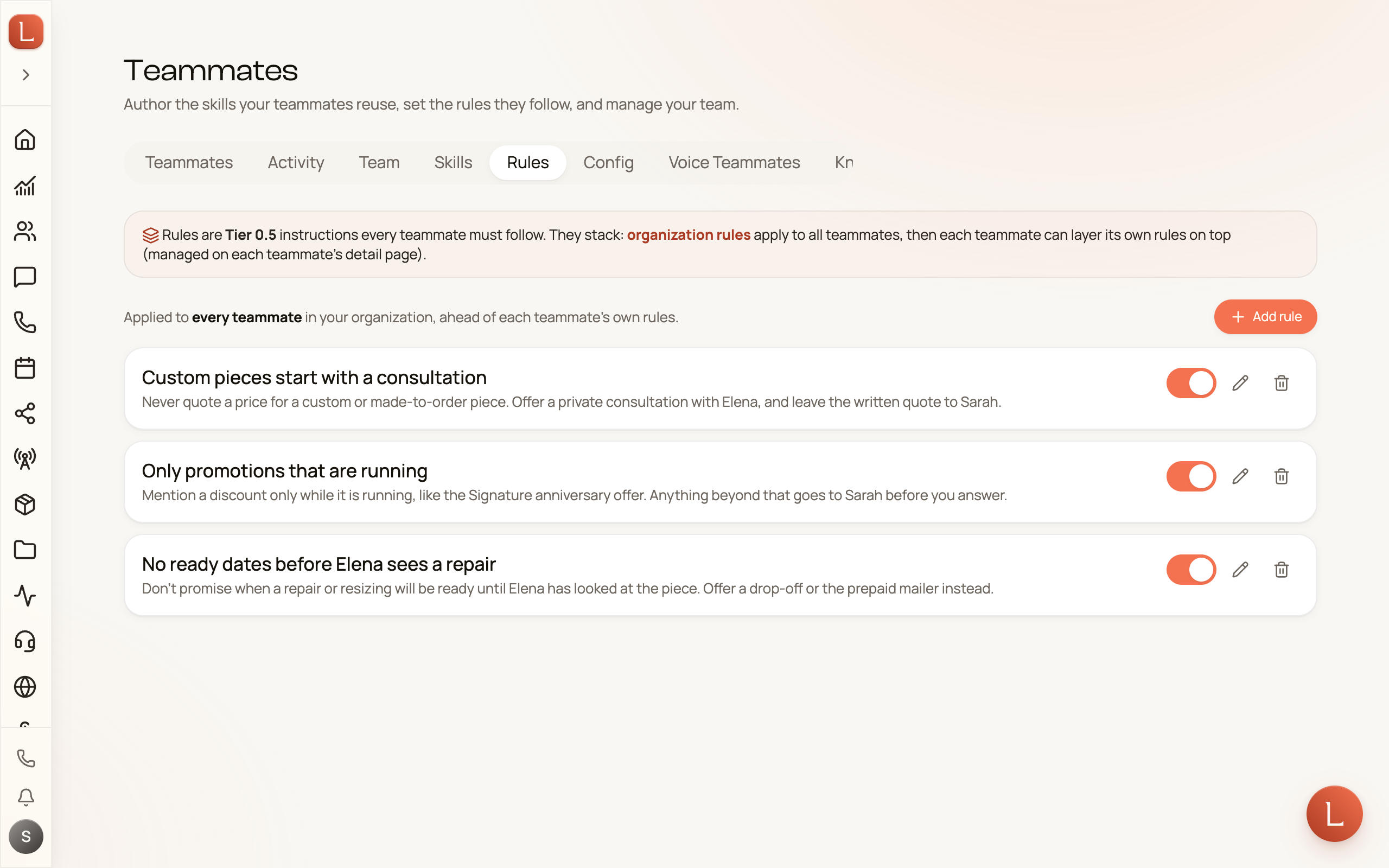
You can see the stack from either side: on a teammate’s Behavior tab, an Inherited from organization panel shows the shared rules it’s already following, so you always know the full set in force.
Rules shape the boundaries; they don’t decide whether a teammate sends on its own. That’s a separate choice — see Autonomy: Suggest vs. Autonomous. To grant or withhold what a teammate is even able to do, see the Capabilities page next.