
Watch your team work
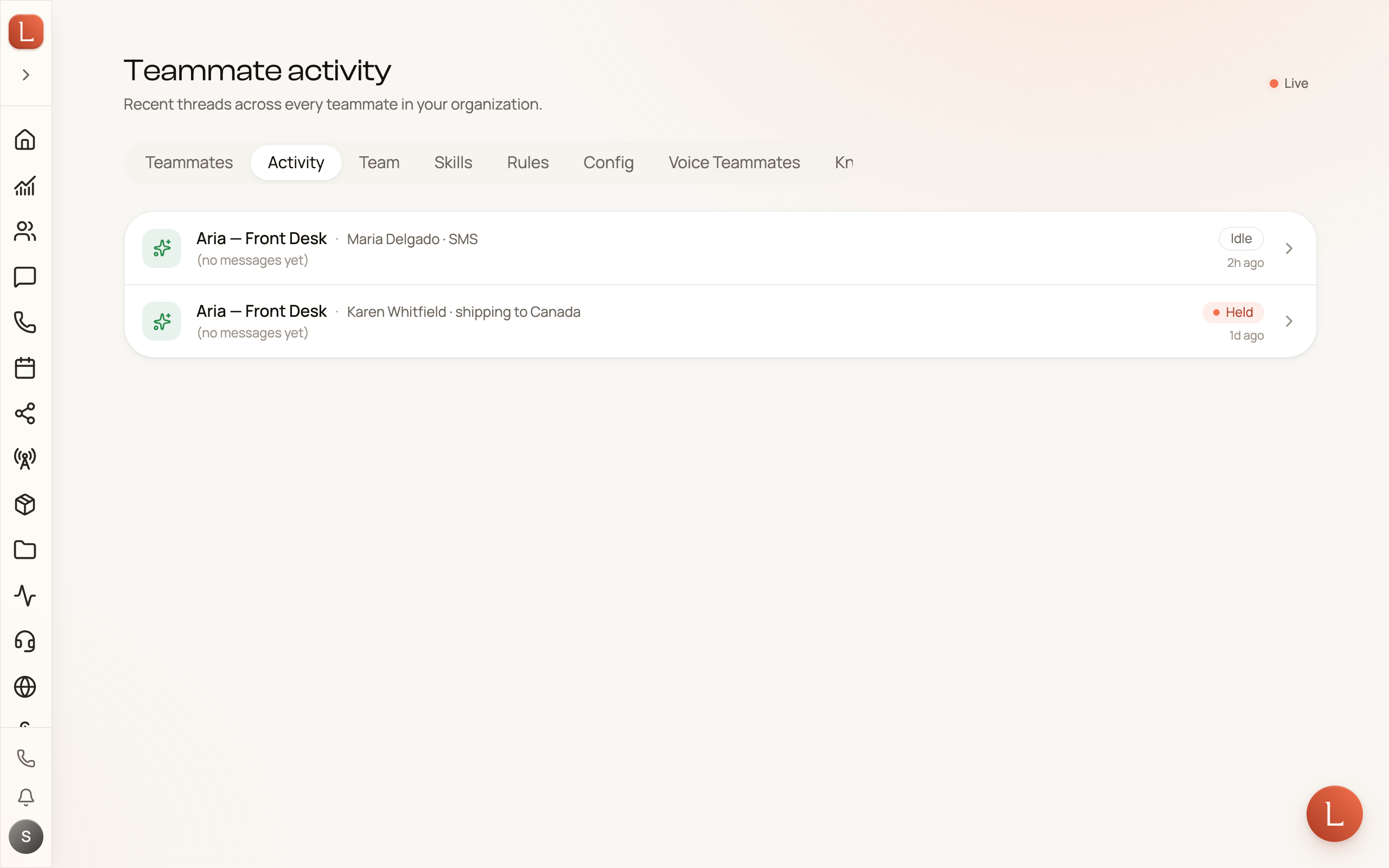
Most days your AI team is quietly working in the background — answering texts, following up after calls, replying on web chat. The Activity feed is where you look over their shoulder. It’s a single, live list of the conversations your whole team is handling right now, written in plain language, so you can see what everyone is doing without opening each teammate one by one.
Open Teammates from the sidebar, then choose the Activity tab. The route is /teammates/activity.
A live window, not a report
Section titled “A live window, not a report”The feed updates on its own. A small pill near the top reads Live when it’s connected and refreshing in real time, and Offline while the connection is down; it goes back to Live on its own once it reconnects. You never pull to refresh — a new conversation appears the instant a teammate picks one up.
Each row is one conversation: which teammate is on it, a short line of what it’s about, and how long ago it was last active. Because Clearwater Digital runs three teammates — Riley, Sofia, and Marcus — across texts, email, and web chat, this is the one screen that shows the whole team’s workload at a glance instead of three separate desks.
Reading the state badges
Section titled “Reading the state badges”Every conversation carries a small badge telling you where it stands:
- Running — a teammate is working on this right now.
- Idle — the teammate is on the thread but nothing is happening this second. It’s simply open and waiting, most likely for the Contact to reply, or for an answer from you.
- Done — this piece of work finished. Because each row covers one ask, Done is the ordinary ending for almost every row here — it is not a problem and needs nothing from you.
- Held — rare. Loquent support has taken the wheel on this conversation. It isn’t a request for you.
- Archived — closed and kept for history.
When your teammate needs a decision from you, that does not show up as Held. It arrives as a question on Home and in your teammate’s question deck. See Answer your team’s questions for how those land and how you reply in one tap.
Activity vs. a single teammate’s page
Section titled “Activity vs. a single teammate’s page”The Activity tab is the team-wide view — every teammate, all at once. When you want to focus on one teammate — its pending questions, its stats, its setup — open that teammate from the Agents tab instead. Its own page is a control room for that one member. Read A teammate’s home page for what lives there.
When it’s quiet
Section titled “When it’s quiet”An empty or short feed is a good sign, not a broken screen — it means your team has nothing in flight right now. As soon as a Contact texts, calls, or fills in a form, a new row appears here — and once that piece of work is finished, it settles on Done.
This feed is for watching and monitoring. The moment you need to do something — approve a draft, answer a question — you’ll find it in your daily brief or the teammate’s own page.