
Business context and learning mode
Some things are true for your whole business, not just one teammate — how to answer after hours, what to say on voicemail, the rules your industry holds you to. Rather than repeat those to every AI teammate, you set them once in one shared place, and everyone on the team draws from it. That place is the Config tab.
Open Teammates from the sidebar, then choose the Config tab. The route is /teammates/config. Three things live here: the shared business context, the Default teammate for new contacts, and how your team’s learning is applied.
Default teammate for new contacts is the fallback: when a new Contact arrives through a channel that has nobody on it, this teammate takes them. It covers social messages and website chat — a phone number, email address, or WhatsApp number still needs a teammate on the line itself. See Who’s replying to a Contact.
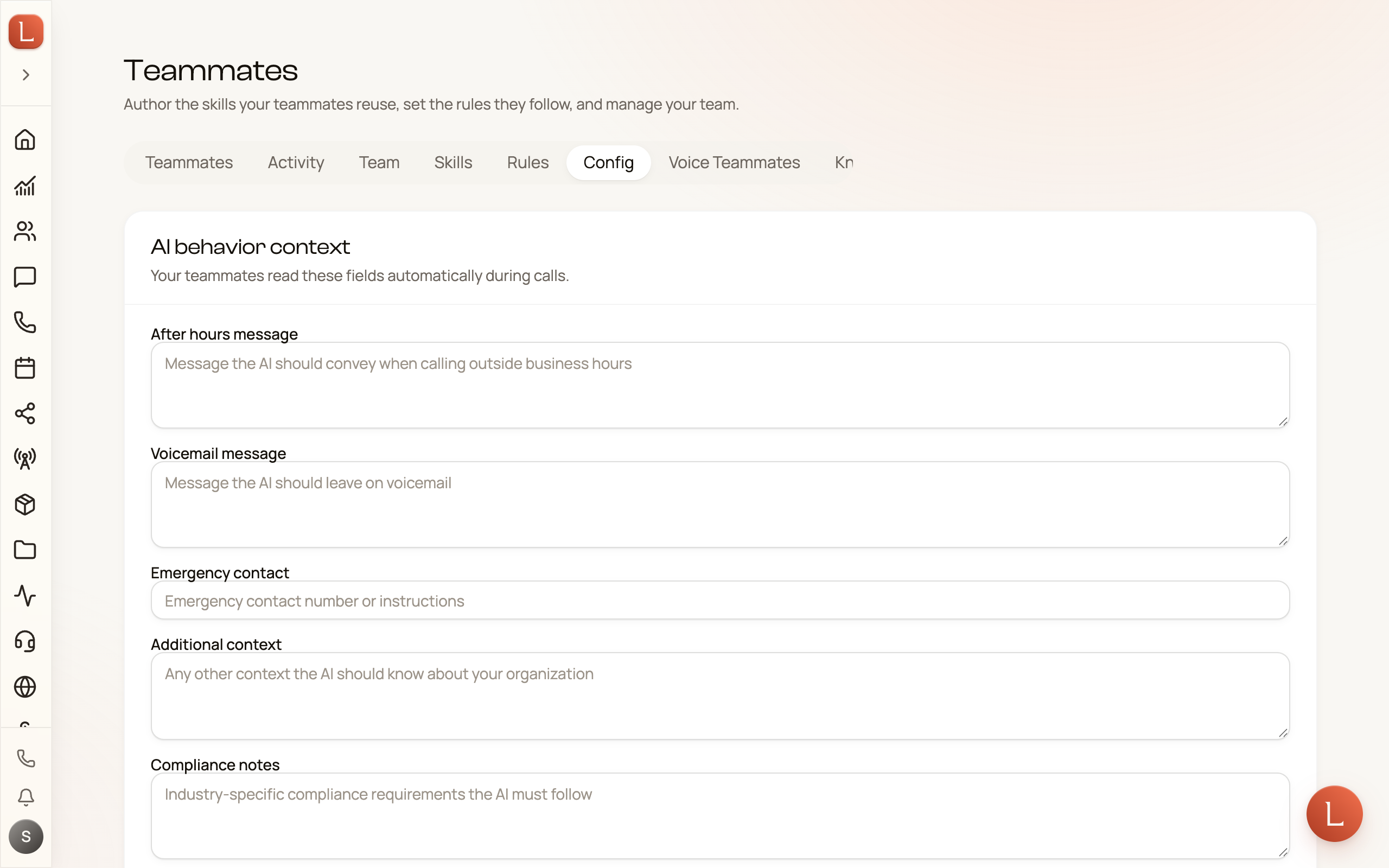
The shared business context
Section titled “The shared business context”The first card, AI behavior context, is a short brief every teammate carries into every conversation. Fill in only what applies — each field is optional, and each saves when you press Save AI context:
- After hours message — what a teammate should convey when a Contact reaches you outside business hours.
- Voicemail message — what to leave when a call goes to voicemail.
- Emergency contact — a number or instruction to fall back on for urgent situations.
- Additional context — anything else your team should always know about the business.
- Compliance notes — the industry rules your team must follow, in your own words.
This is business-wide background. For your identity, branding, hours, and languages — the profile that shapes how teammates represent you — see Your business profile. Think of the profile as who you are, and this context as the standing instructions on top of it.
Learning mode: what waits for you
Section titled “Learning mode: what waits for you”Your team gets better over time. When you edit a draft before it goes out, or answer a question, that correction becomes a lesson. The Teammate learning card, below the other two, decides what happens to those lessons. It offers three choices:
- Ask me about everything — every change waits for you on that teammate’s page before it applies. This is the careful setting.
- Apply safe lessons (the default, marked Recommended) — habits apply now: self-corrections, conduct, and tone. Business facts and new powers ask you first.
- Apply everything — nothing waits. You can always undo.
Press Save learning settings after you pick one. The choice is business-wide — it sets the posture for every teammate at once. To set a different one for a single teammate, use the control on that teammate’s Memory tab.
To see what your team learns, where the lessons come from, and how to undo one, read How your team learns. This page is only the two dials — the shared brief and the learning choice — that sit above all of it.