
Contacts, conversations, and channels
Almost everything you do in Loquent touches three ideas: a Contact, a conversation, and a channel. Learn these three words and the rest of the app clicks into place. Here’s each one, in plain terms.
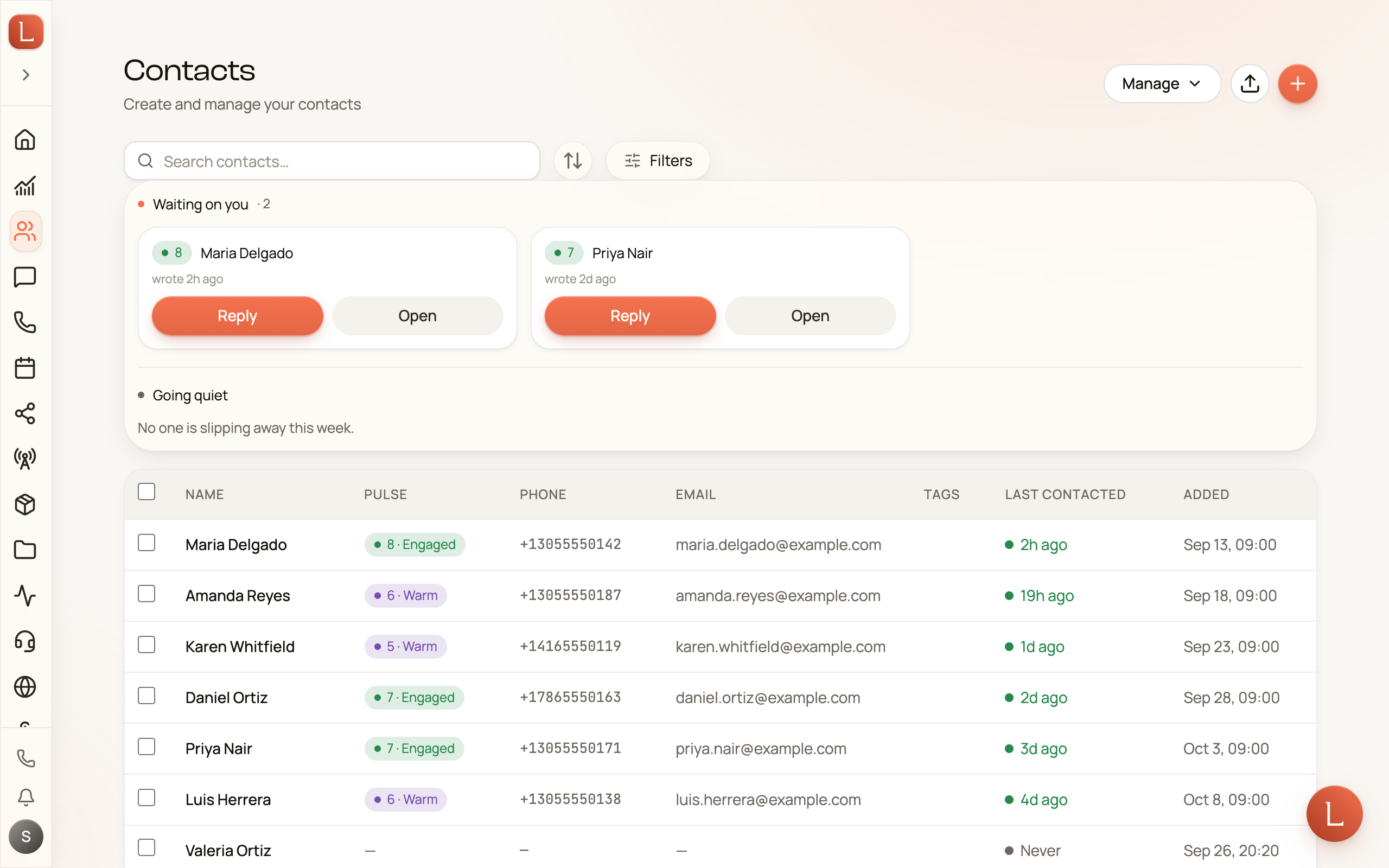
A Contact is one customer, one record
Section titled “A Contact is one customer, one record”A Contact is a single person your business talks to — one of your customers. Everything you know about them lives in one place: their name, phone numbers, email, notes you’ve jotted, and the tasks tied to them.
You never keep the same person in two places. Whether they call, text, message you on Facebook or Instagram, or fill in a form on your website, it all lands on the same Contact record. That’s how you always see the whole picture, not scattered pieces.
You’ll find your customer book under Contacts in the sidebar. You can add someone by hand with Create Contact, but most Contacts appear on their own — the first time a new number calls or a stranger fills in a form, your AI team creates the record for you.
A conversation is one thread per Contact
Section titled “A conversation is one thread per Contact”A conversation is the running story of your back-and-forth with one Contact — and there’s just one thread per person, no matter how they reach you.
This is the part people find surprising at first. A phone call, a text message, an email, a chat on your website, a Facebook or Instagram message — in most apps those live in separate inboxes. In Loquent they all flow into the same conversation. You scroll one thread and see the whole history in order, however each message arrived.
Your AI teammate reads that same thread, so it always has the full context before it drafts a reply. You’ll spend most of your messaging day in one place — Messaging in the sidebar — reading conversations and approving the replies your teammate suggests.
A channel is a pipe conversations flow over
Section titled “A channel is a pipe conversations flow over”A channel is simply the way a message travels: a phone line, an email address, the chat box on your website, or a connected Facebook or Instagram account. Conversations flow over channels the way water flows through pipes.
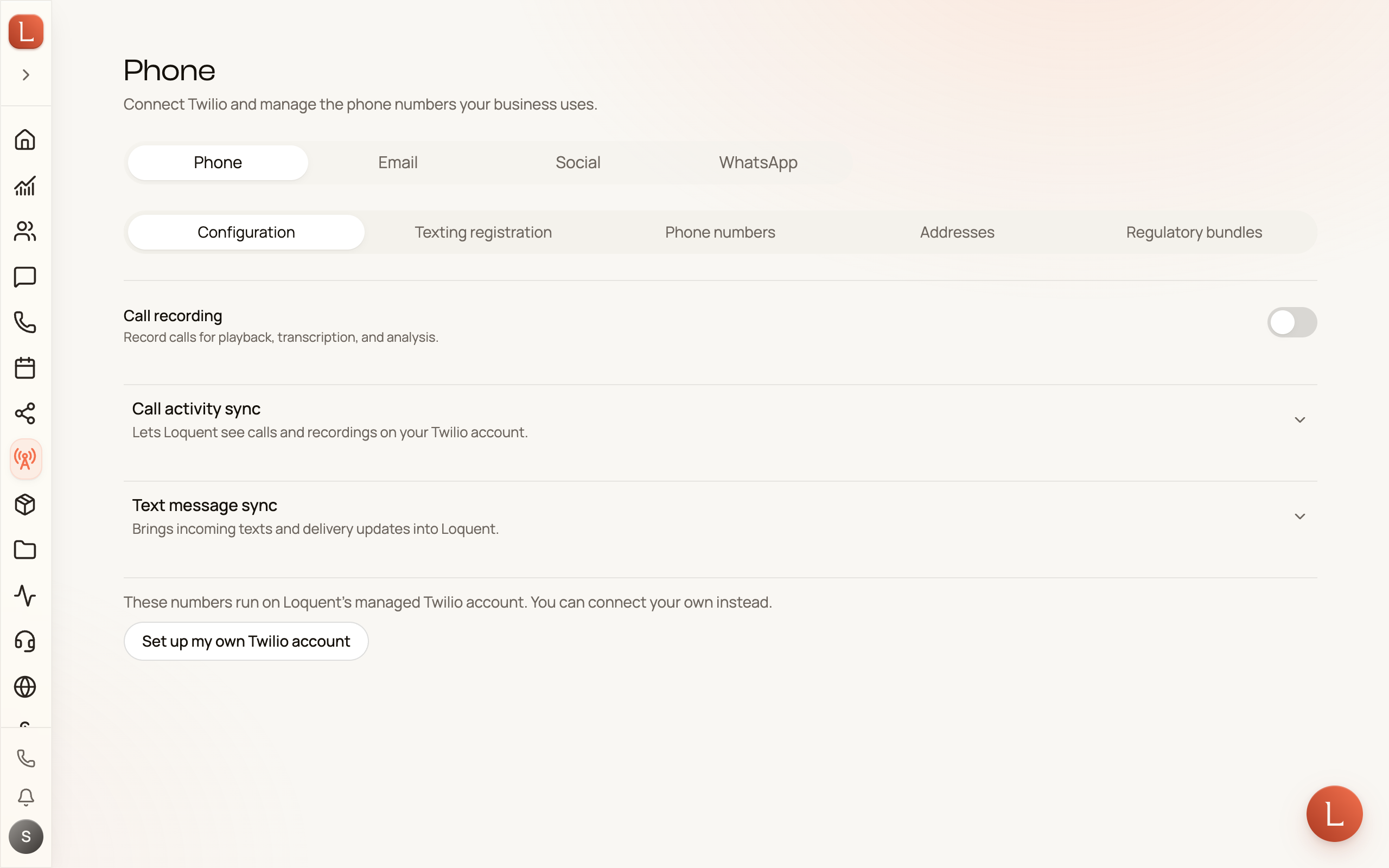
You set your channels up once under Channels in the sidebar, which has four tabs:
-
Phone — the phone numbers your business uses for calls and texts, and which teammate picks up new Contacts on each one. A Contact who already has a teammate keeps theirs, whichever number they text.
-
Email — the email addresses your team sends and receives from.
-
Social — connect Messenger so Facebook and Instagram messages land in Loquent alongside everything else.
-
WhatsApp — connect a WhatsApp Business number so those chats land here too.
How they fit together
Section titled “How they fit together”Here’s the whole picture in one line: channels carry messages in, each message joins that person’s one conversation, and that conversation belongs to their single Contact record.
One more thing worth knowing: a single teammate can serve many channels at once. The same teammate can answer your phone, reply to email, and greet visitors on your website — you don’t need a separate one for each pipe. To set up the phone side, see Get your business number and Put your teammate on the line.
Ready to see it live? Walk through your first conversation.