
To-Do Types
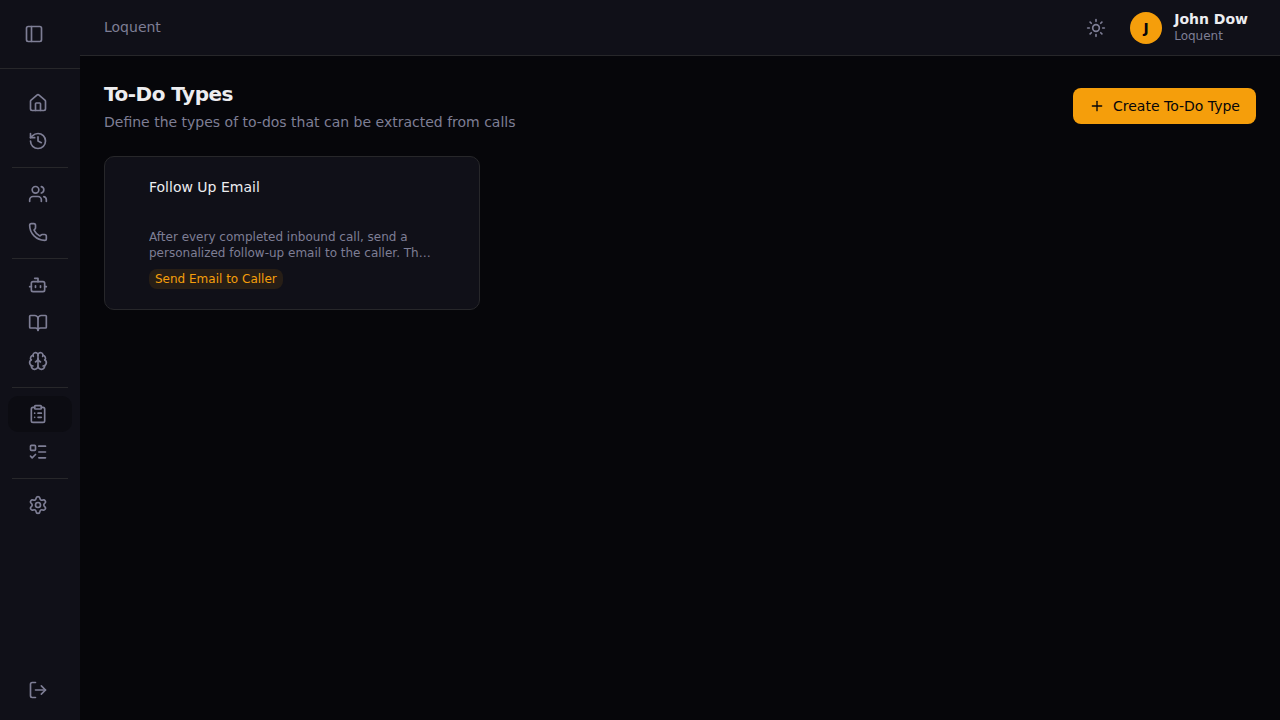
The To-Do Types page lists all the task categories you’ve configured. After every call, Loquent’s AI scans the transcription and creates to-dos for any matching types it finds. Each card shows the type name, description preview, and the system tools assigned to it.
Create a to-do type
Section titled “Create a to-do type”Click + Create To-Do Type in the top right. Fill in the form and click Save.
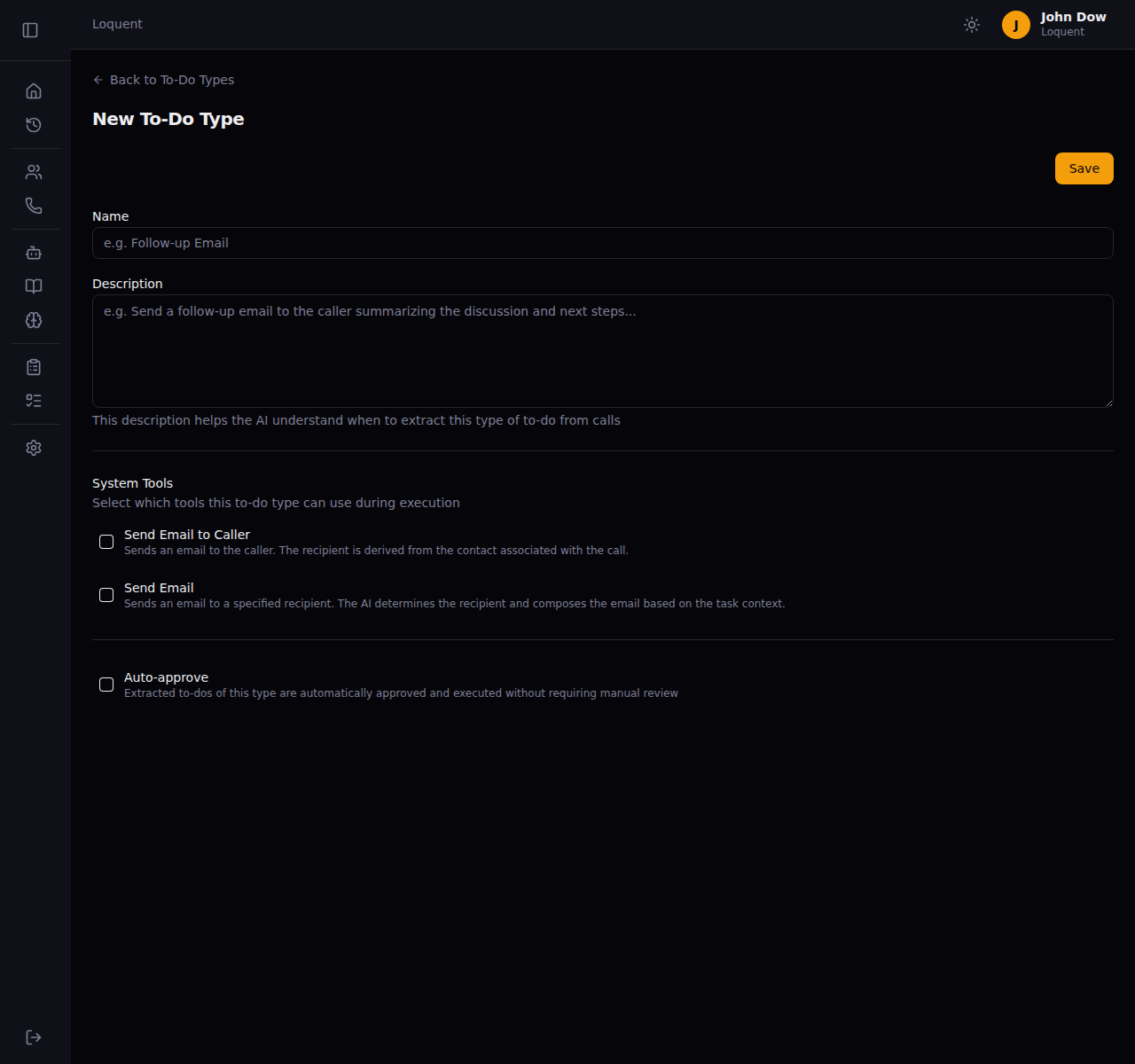
Give the type a clear, descriptive name — for example, “Follow-up Email” or “Schedule Appointment”. This name appears on to-do cards in the To-Dos page.
Description
Section titled “Description”Describe what this type of task does and when to extract it. The AI reads this description to decide whether a call contains a matching action.
Write specific descriptions. The more context you give, the more accurately the AI identifies relevant tasks.
| Vague (avoid) | Specific (use) |
|---|---|
| Send an email | Send a follow-up email to the caller summarizing the call and next steps |
| Book meeting | Schedule a demo call when the caller expresses interest in seeing the product |
System tools
Section titled “System tools”Select which tools Loquent uses when executing this type of to-do.
| Tool | What it does |
|---|---|
| Send Email to Caller | Sends an email to the caller. The recipient is automatically resolved from the contact linked to the call |
| Send Email | Sends an email to a recipient the AI determines from the task description and context |
You can select both tools if the task may need either.
Auto-approve
Section titled “Auto-approve”Check Auto-approve to skip the manual review step. When enabled, Loquent executes to-dos of this type immediately after a call ends — without waiting for your approval.
Edit a to-do type
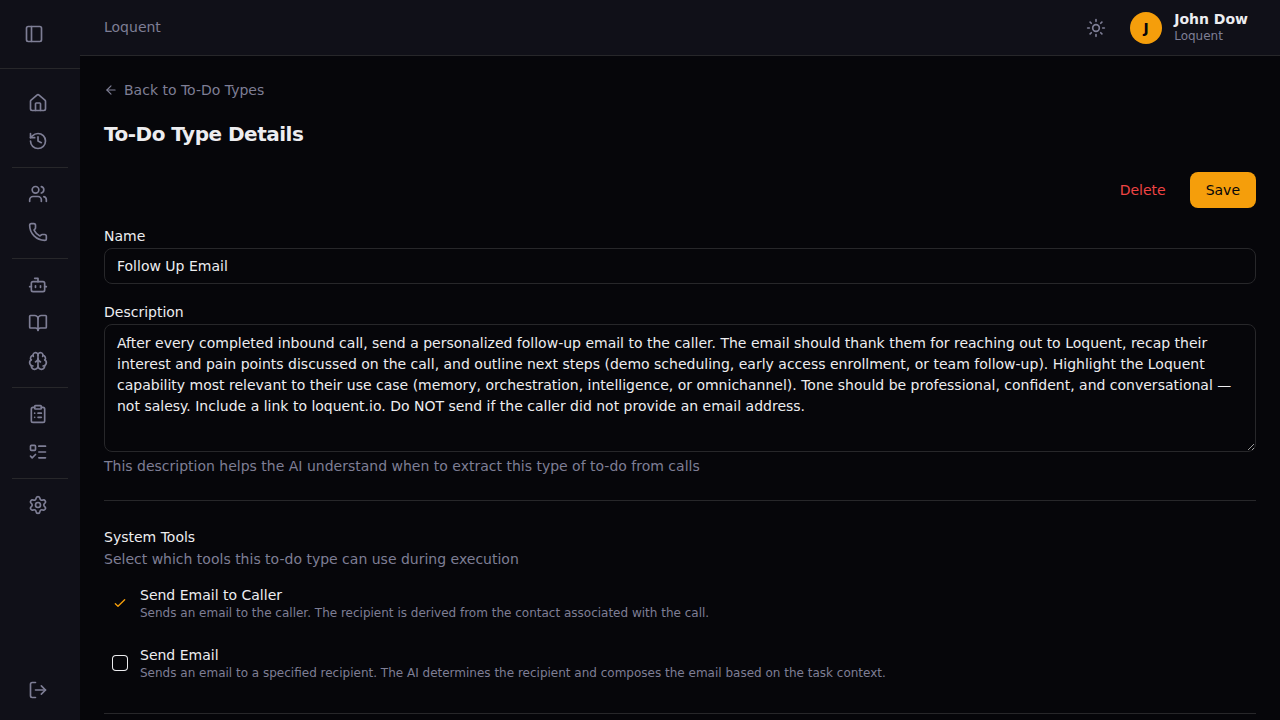
Section titled “Edit a to-do type”Click any card on the To-Do Types page to open the details view. Update the name, description, tools, or auto-approve setting, then click Save.
Delete a to-do type
Section titled “Delete a to-do type”Open the type’s details page and click Delete. This removes the type permanently. Existing to-dos created from this type are not affected.
Related pages
Section titled “Related pages”- Manage To-Dos — review and approve extracted tasks