
Manage To-Dos
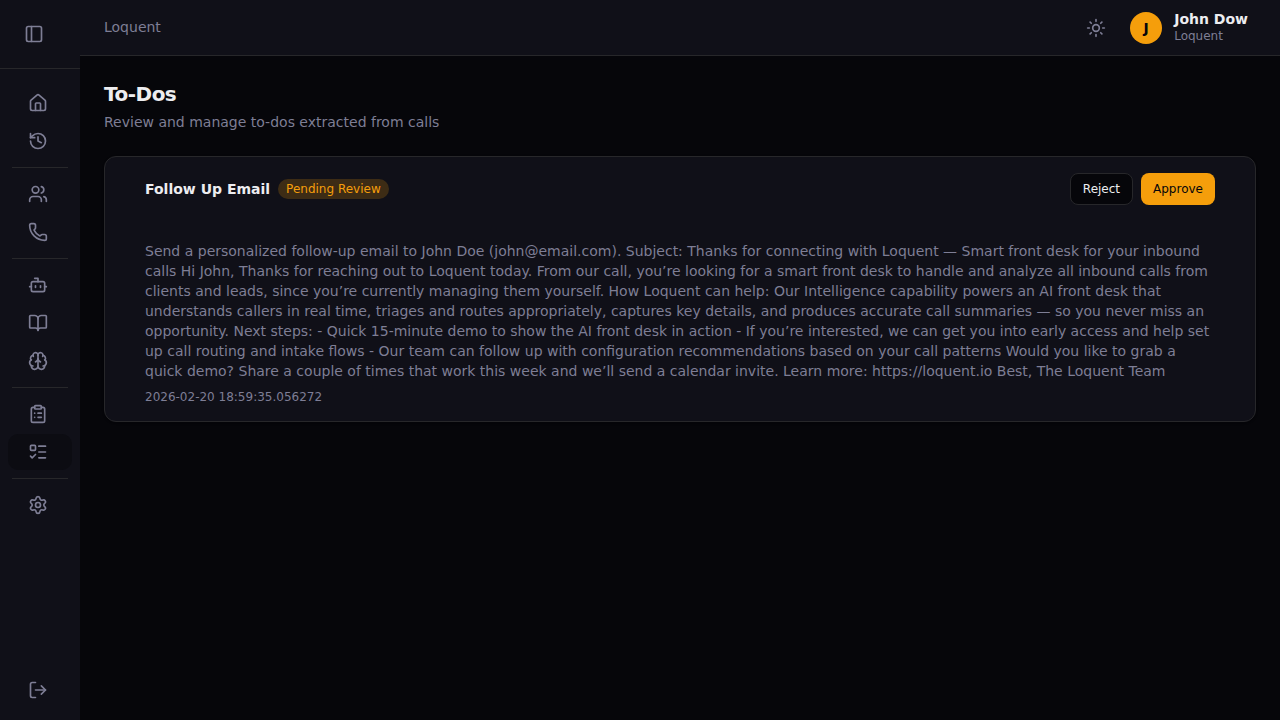
The To-Dos page shows every task Loquent’s AI extracted from your calls. Each card displays the task type, a description of the action to take, and its current status. Tasks that require your review have an Approve and Reject button.
Approve a to-do
Section titled “Approve a to-do”Click Approve on any card with status Pending Review. Loquent executes the task automatically — no further action needed. The status updates to In Progress, then Completed once done.
Reject a to-do
Section titled “Reject a to-do”Click Reject to dismiss the task. The to-do is marked Rejected and no action is taken. Use this when the AI extracted a task you don’t want to act on.
To-do statuses
Section titled “To-do statuses”| Status | What it means |
|---|---|
| Pending Review | Waiting for your approval |
| Approved | Queued for execution |
| In Progress | Being executed right now |
| Completed | Task finished successfully |
| Failed | Execution failed — check the card for details |
| Rejected | Dismissed by you |
Related pages
Section titled “Related pages”- To-Do Types — define what kinds of tasks Loquent looks for in calls