
Dashboard
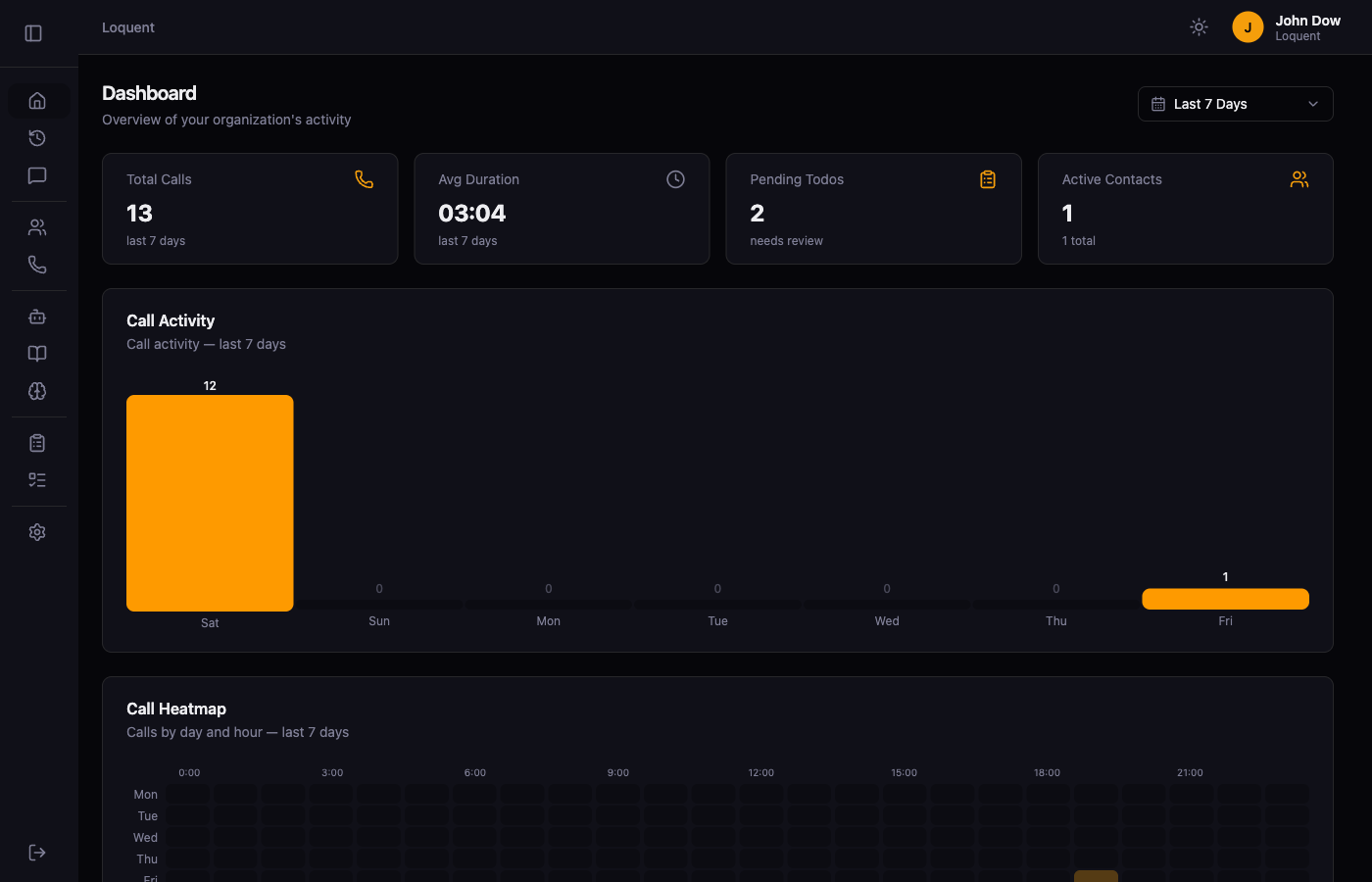
Click the home icon in the sidebar to open the Dashboard. It gives you a real-time overview of your organization’s call activity, open to-dos, and quick access to common actions.
Metric cards
Section titled “Metric cards”The four cards at the top summarize activity for the selected date range:
| Card | Shows |
|---|---|
| Total Calls | Number of calls received |
| Avg Duration | Average call length (mm:ss) |
| Pending Todos | To-dos that need review |
| Active Contacts | Contacts with recorded activity |
Call Activity
Section titled “Call Activity”The bar chart shows call volume by day for the selected period. Hover over a bar to see the exact count for that day.
Call Heatmap
Section titled “Call Heatmap”The heatmap shows when calls occur by day of the week and hour of the day. Darker cells indicate higher call volume, making it easy to spot your busiest times.
Recent Calls and Todo Status
Section titled “Recent Calls and Todo Status”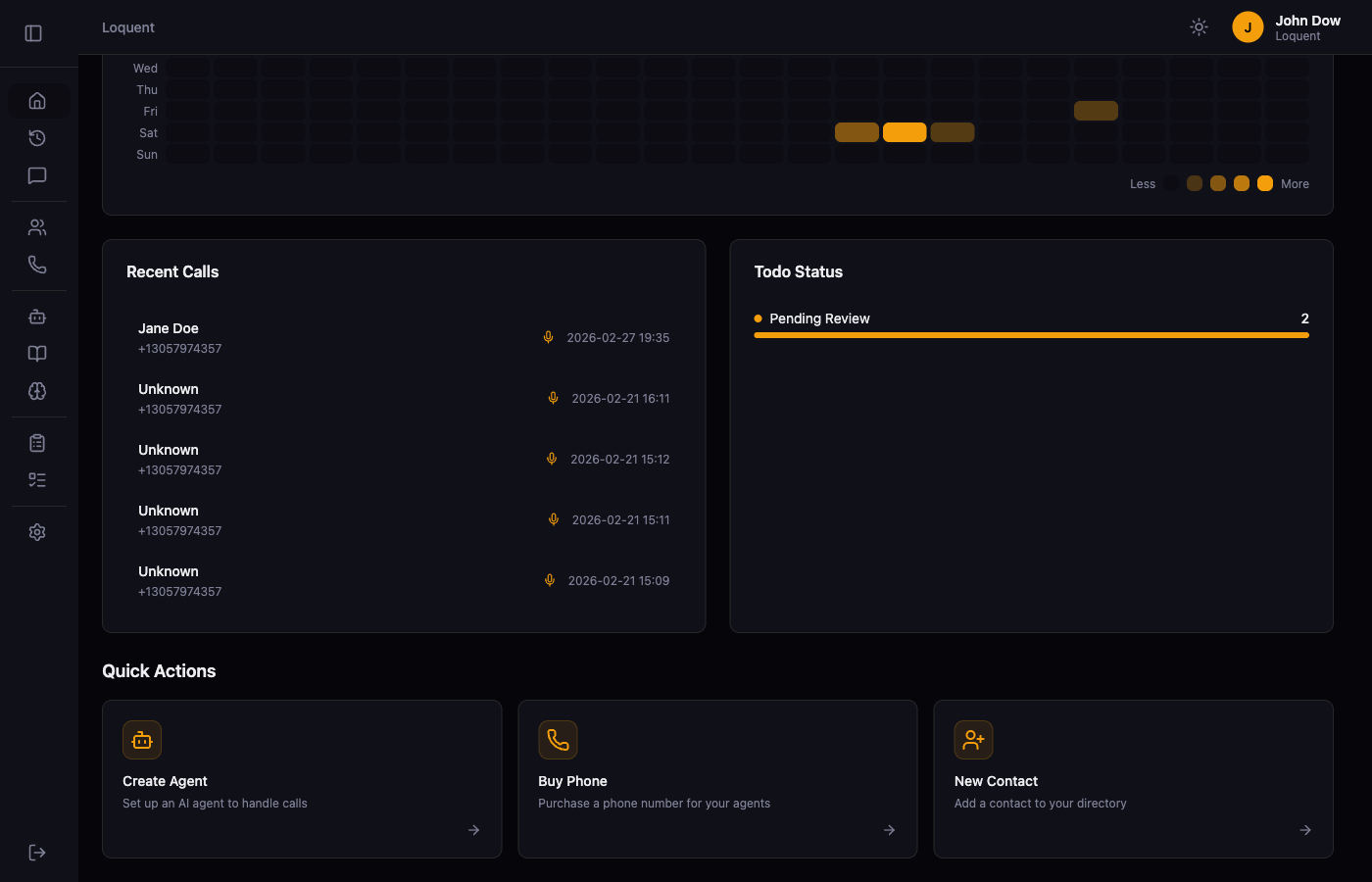
Recent Calls lists your five most recent inbound calls with the caller name, number, and timestamp. Click any row to open the full Call Details page.
Todo Status shows a breakdown of your open to-dos by status. Click through to Manage To-Dos to review and resolve them.
Quick Actions
Section titled “Quick Actions”The Quick Actions section provides shortcuts to the most common setup tasks: creating an agent, buying a phone number, and adding a contact.
Filter by date
Section titled “Filter by date”All metrics and charts update based on the selected date range. Click the date selector in the top right to change the period.
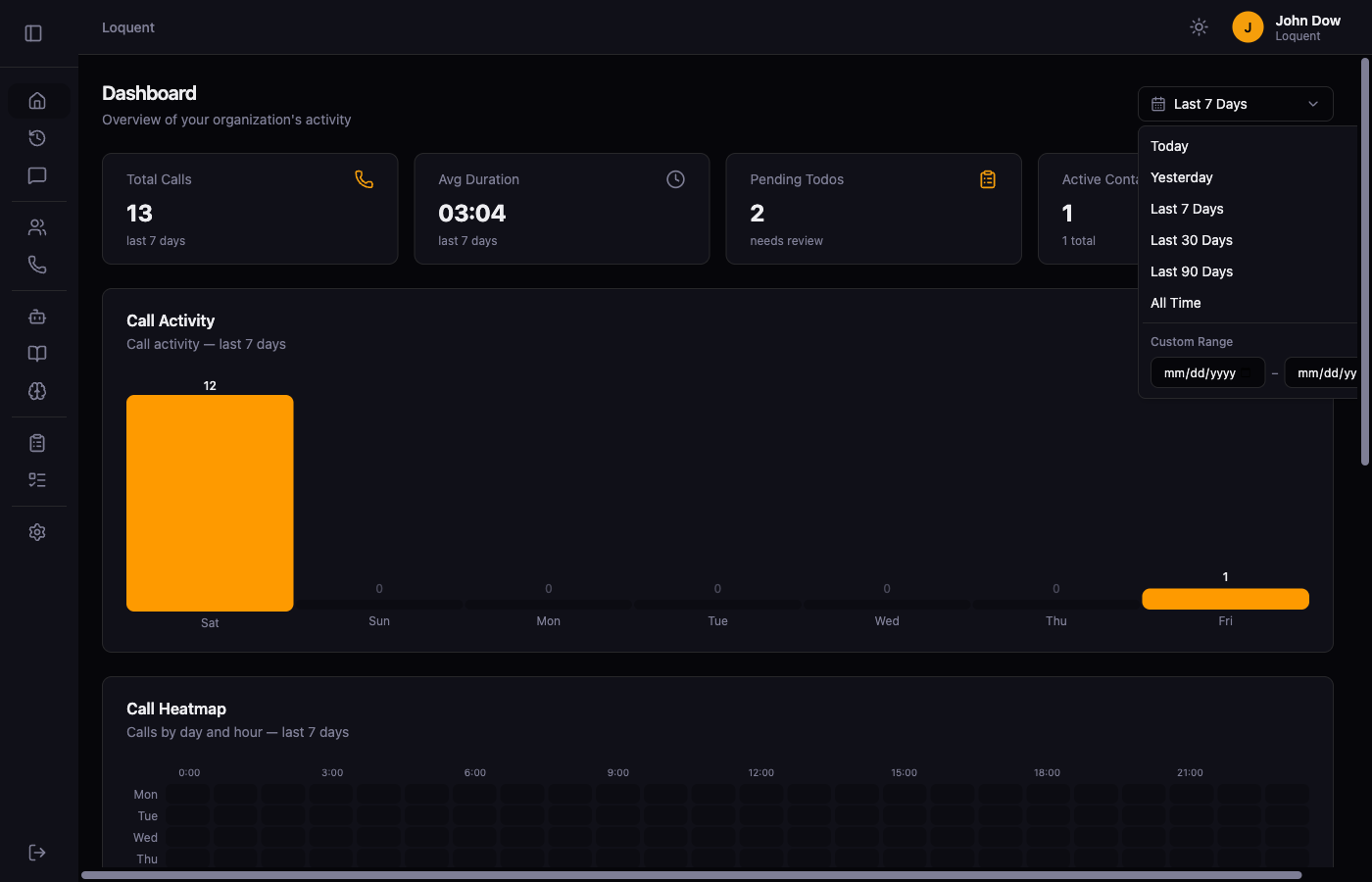
| Preset | Shows data from |
|---|---|
| Today | Midnight to now |
| Yesterday | The previous full day |
| Last 7 Days | The past 7 days including today |
| Last 30 Days | The past 30 days including today |
| Last 90 Days | The past 90 days including today |
| All Time | Every call since your account was created |
To define a custom period, enter a start and end date in the Custom Range section. The filter applies to the dashboard metrics and the Call History list simultaneously.
Related pages
Section titled “Related pages”- Call History — full list of calls with the same date filter applied
- Manage To-Dos — review and resolve pending to-dos