
Cold Transfer
Cold transfer lets your AI agent redirect an active call to a human team member while the call is in progress. The caller is transferred without the agent staying on the line — hence “cold.”
How it works
Section titled “How it works”- During a call, the agent determines (based on its instructions) that a human should take over.
- The agent announces the transfer to the caller.
- The agent redirects the call to one of the configured transfer numbers.
- The caller is connected to the human. The agent disconnects.
The caller ID shown to the human receiving the transfer is your Loquent number.
Set up a transfer number
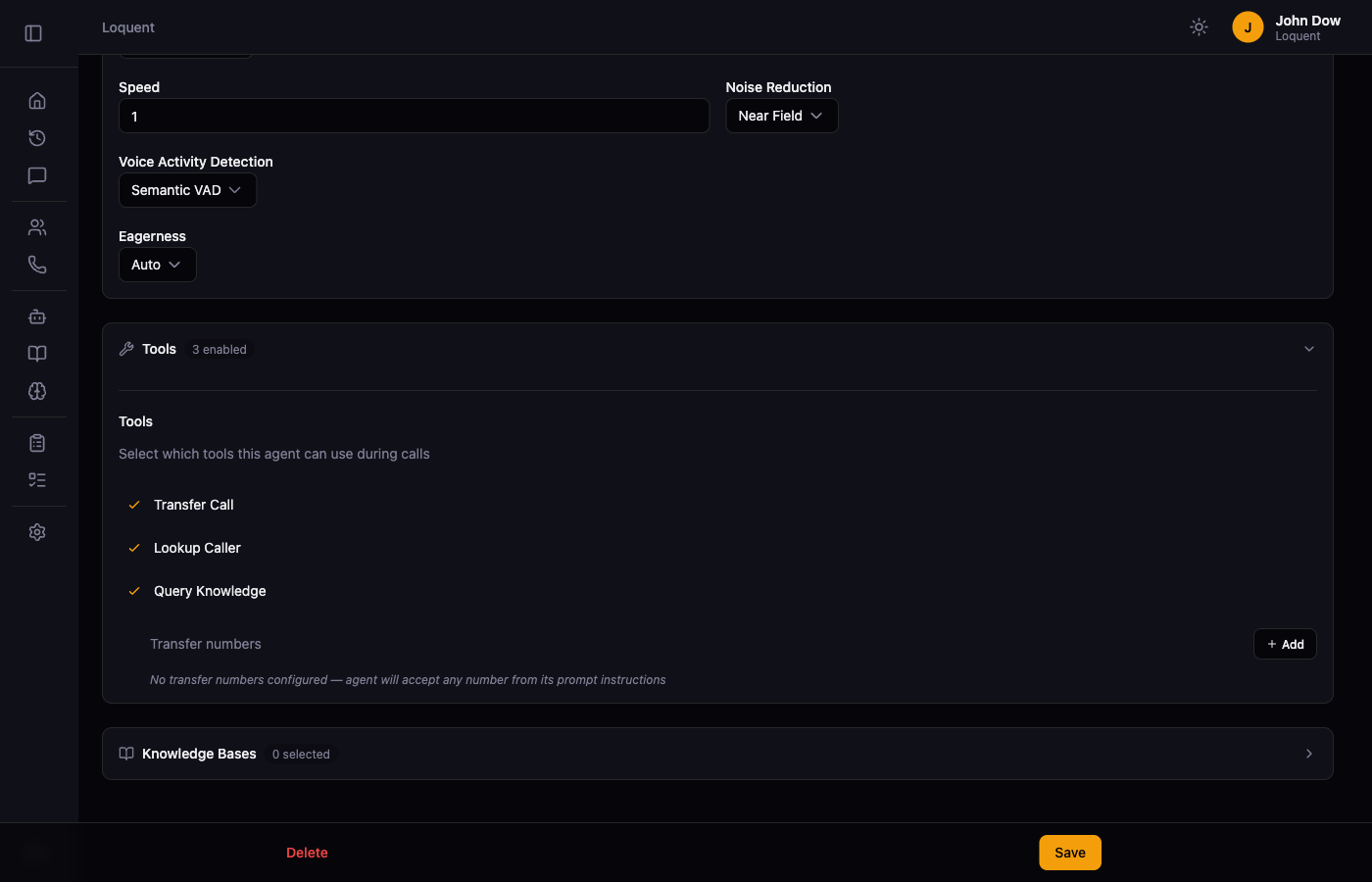
Section titled “Set up a transfer number”- Open an agent and scroll to the Tools section.
- Enable the Transfer Call tool.
- Click + Add in the Transfer numbers sub-section and enter the phone number to transfer calls to.
- Click Save.
You can add multiple transfer numbers. See Tool Configuration for full details.
Instruct your agent to transfer
Section titled “Instruct your agent to transfer”In your agent’s instructions, tell it when to offer a transfer:
“If the caller asks to speak to a person, or if you cannot resolve their issue after two attempts, offer to transfer them to our team.”
See Instruction Builder for how to write and refine instructions.
Related pages
Section titled “Related pages”- Tool Configuration — configure the transfer numbers and all other tools
- Instruction Builder — write the instructions that trigger transfers