
Organization Profile
The Organization Profile stores your business details in Loquent. Agents can reference this information during calls, and the Instruction Builder uses it to generate accurate, context-aware instructions.
Go to Settings → Organization to fill out your profile.
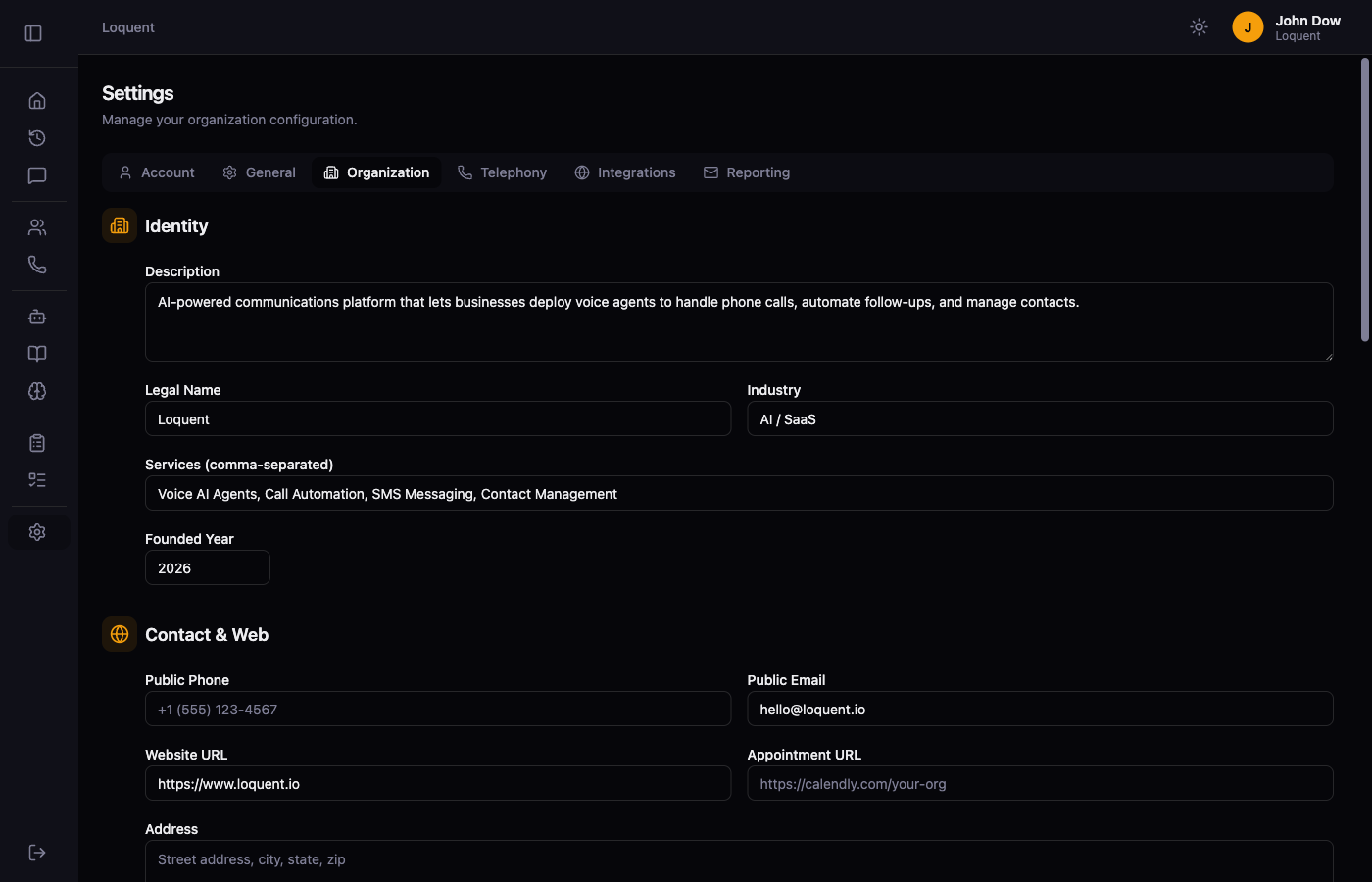
Profile sections
Section titled “Profile sections”Identity
Section titled “Identity”| Field | Description |
|---|---|
| Description | A short overview of what your business does |
| Legal Name | Your organization’s name as agents should say it |
| Industry | Your business category (used to tailor agent tone) |
| Services | Comma-separated list of services you offer |
| Founded Year | The year your business was established |
Contact & Web
Section titled “Contact & Web”| Field | Description |
|---|---|
| Public Phone | Your main business phone number |
| Public Email | Your main business email address |
| Website URL | Your public website URL |
| Appointment URL | A booking or scheduling link |
| Address | Physical location agents can share with callers |
| Service Area | Geographic area your business serves |
Languages
Section titled “Languages”| Field | Description |
|---|---|
| Primary Language | Default language for the organization (e.g. en) |
| Timezone | Used to interpret business hours correctly |
| Secondary Languages | Additional languages your agents can support |
Operating Hours
Section titled “Operating Hours”Set your open hours for each day of the week. Toggle Closed for any day you’re not open. Agents use this to tell callers whether your business is currently open and when to expect a callback.
AI Context
Section titled “AI Context”| Field | Description |
|---|---|
| After Hours Message | What the agent should say when calling outside business hours |
| Voicemail Message | Message the agent leaves on voicemail |
| Emergency Contact | Emergency number or instructions for urgent situations |
| Additional Context | Any other background the agent should know |
| Compliance Notes | Industry-specific requirements the agent must follow |
Click Save Profile after making changes.
Using org data in instructions
Section titled “Using org data in instructions”Once your profile is filled out, open the Instruction Builder and click Enhance with org data. Loquent weaves your business name, hours, services, and location directly into your agent’s instructions so it can answer questions about your business accurately.
Related pages
Section titled “Related pages”- Instruction Builder — generate and refine agent instructions using org data