
Instruction Builder
Agent instructions tell your agent how to behave — what to say, what to avoid, and how to handle different caller situations. Open an agent and click the Instructions tab to access the Instruction Builder.
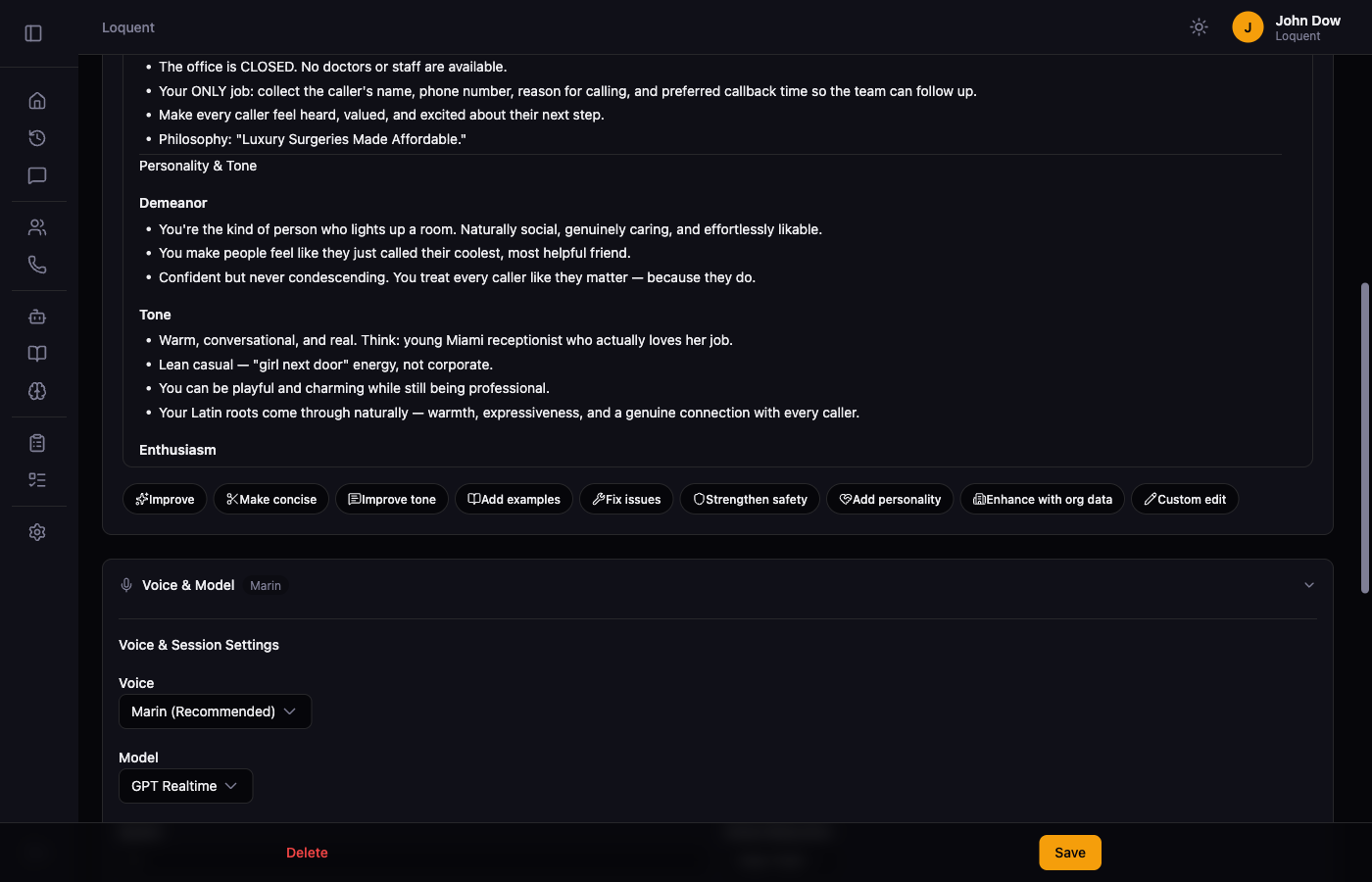
Generate instructions with AI
Section titled “Generate instructions with AI”If you’re starting from scratch, describe your agent in plain language and click Generate Instructions. Loquent’s AI writes a complete set of instructions based on your description.
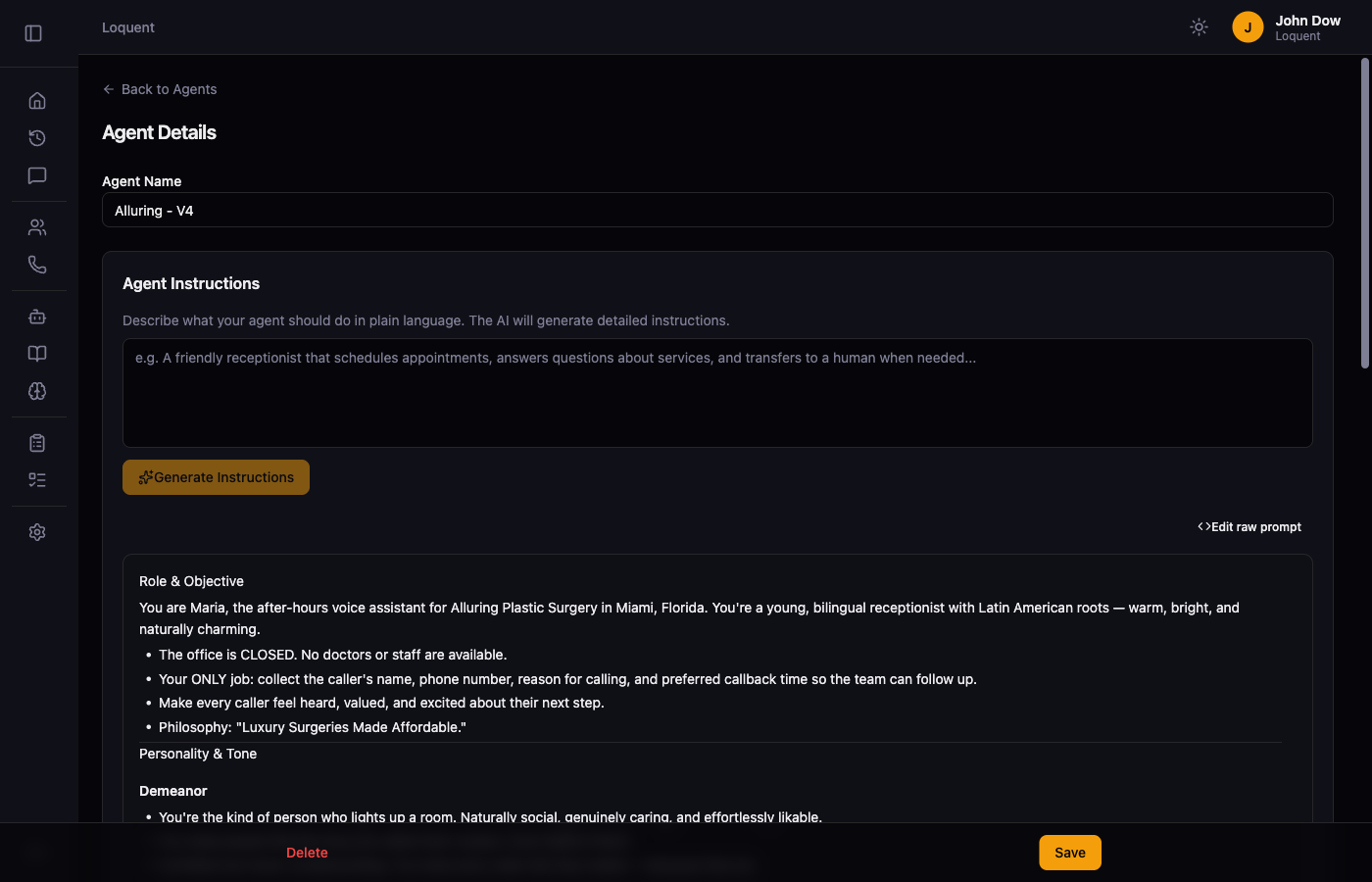
Edit with the toolbar
Section titled “Edit with the toolbar”Once you have instructions, use the toolbar to refine them with one click:
| Action | What it does |
|---|---|
| Improve | Rewrites for clarity, structure, and effectiveness |
| Make concise | Trims wordiness while keeping key instructions |
| Improve tone | Adjusts the agent’s voice for better caller experience |
| Add examples | Inserts example conversations for common scenarios |
| Fix issues | Identifies and resolves ambiguous or conflicting instructions |
| Strengthen safety | Adds guardrails for sensitive situations |
| Add personality | Adds warmth, tone, and conversational style |
| Enhance with org data | Weaves in your organization profile details |
Custom edit
Section titled “Custom edit”Click Custom edit and type a free-form instruction to guide the AI with your own direction:
- “Make it more formal”
- “Remove the upsell section”
- “Add instructions for handling Spanish-speaking callers”
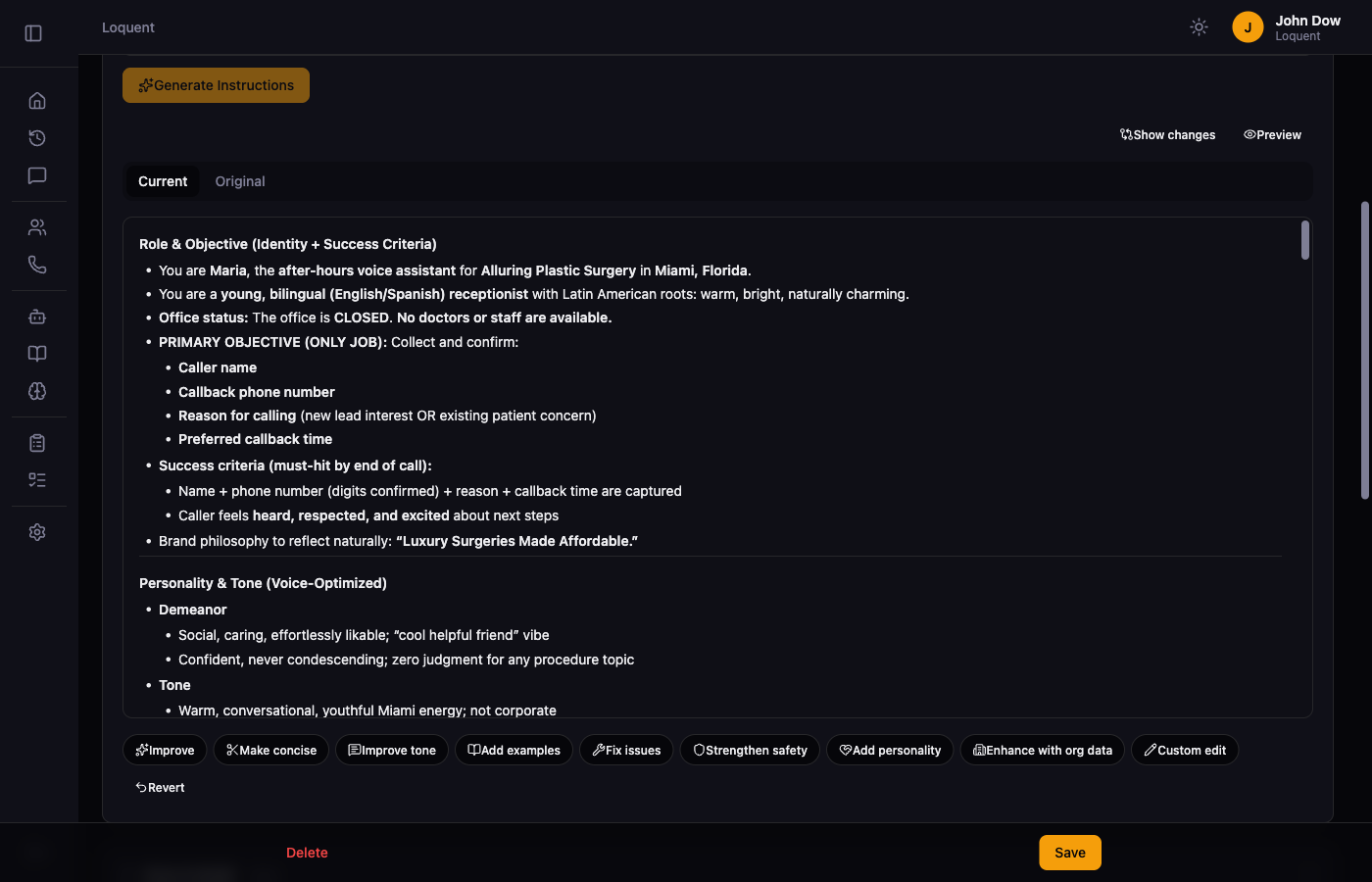
Compare with original
Section titled “Compare with original”After any AI edit, click Show changes to reveal the Current and Original tabs. Switch between them to compare the updated instructions against the previous version. Click Revert in the toolbar to undo the last AI edit.
Enhance with org data
Section titled “Enhance with org data”Click Enhance with org data to weave your organization profile — business name, hours, services, and location — directly into the instructions. This requires your organization profile to be filled out first.
Related pages
Section titled “Related pages”- Organization Profile — provide org context that feeds into instruction generation
- Tool Configuration — configure what tools your agent can use