
Sign Up
Go to the sign-up page
Section titled “Go to the sign-up page”Open app.loquent.io in your browser. If you see the login screen, click Create one at the bottom of the form to reach the sign-up page.
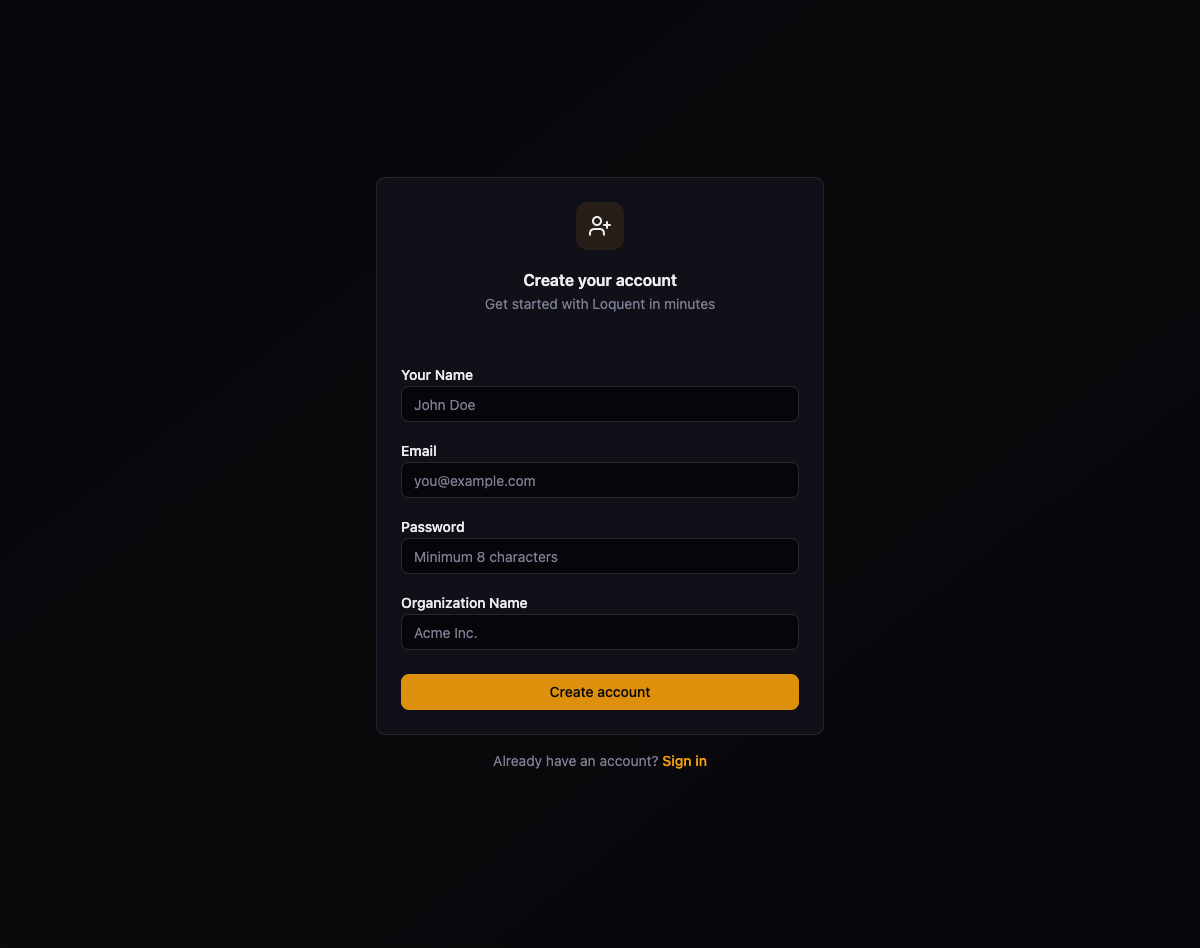
Create your account
Section titled “Create your account”Fill in the four required fields on the sign-up form:
| Field | Description | Example |
|---|---|---|
| Your Name | Your full name | John Doe |
| The email address you use to sign in | you@example.com | |
| Password | A secure password (minimum 8 characters) | — |
| Organization Name | The name of your company or team | Acme Inc. |
Click Create account to register. Loquent signs you in and redirects you to the dashboard.
Explore the dashboard
Section titled “Explore the dashboard”After you sign in, the dashboard gives you an overview of your organization’s activity.
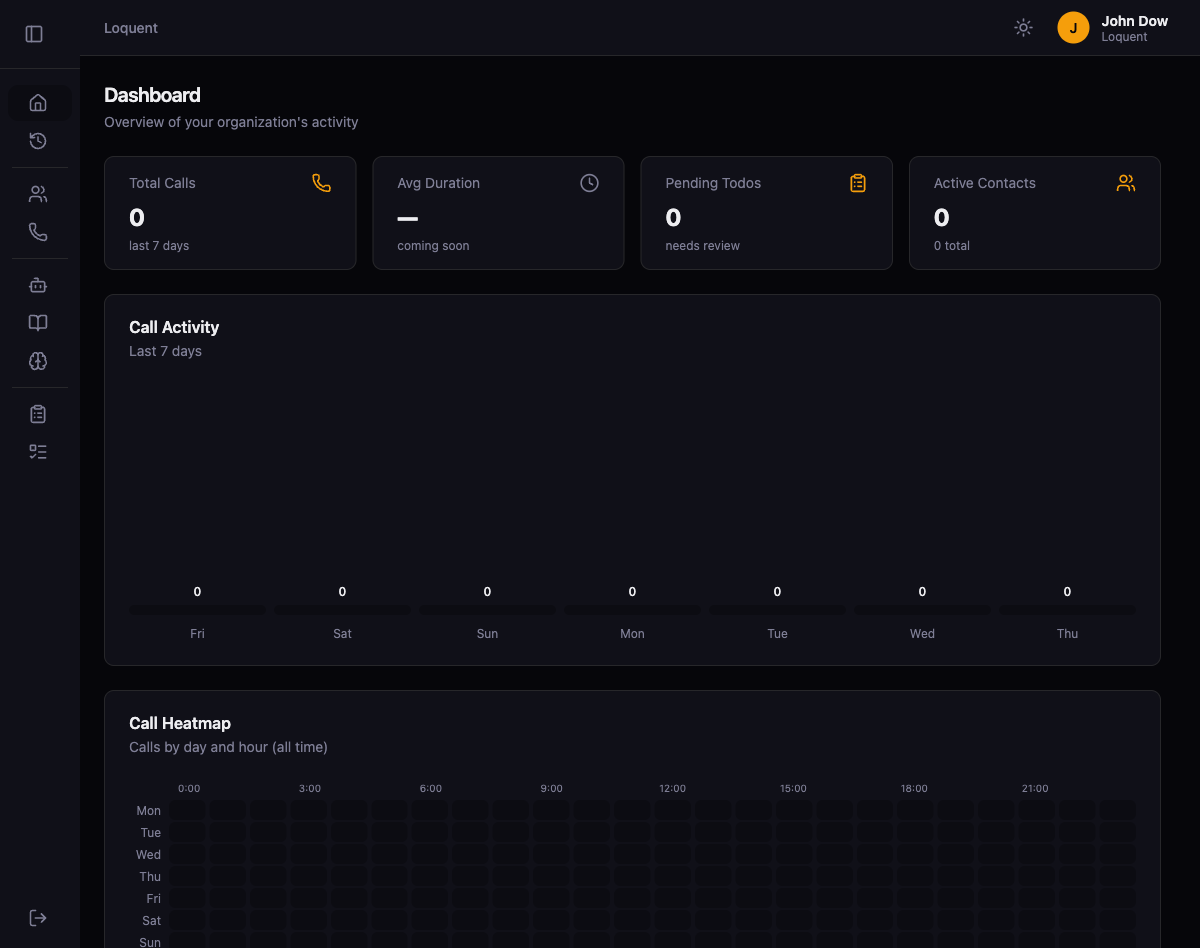
The dashboard includes:
- Stat cards — Total Calls, Avg Duration, Pending Todos, and Active Contacts at a glance.
- Call Activity — A bar chart showing call volume over the last 7 days.
- Call Heatmap — A grid displaying call distribution by day and hour.
- Quick Actions — Shortcuts to Create Agent, Buy Phone, and New Contact.
The sidebar on the left provides navigation to every section of the platform: Dashboard, Calls, Contacts, Phones, Agents, Knowledge, Analyzers, Todo Types, and Todos.