
Create an Agent
Open the Agents page
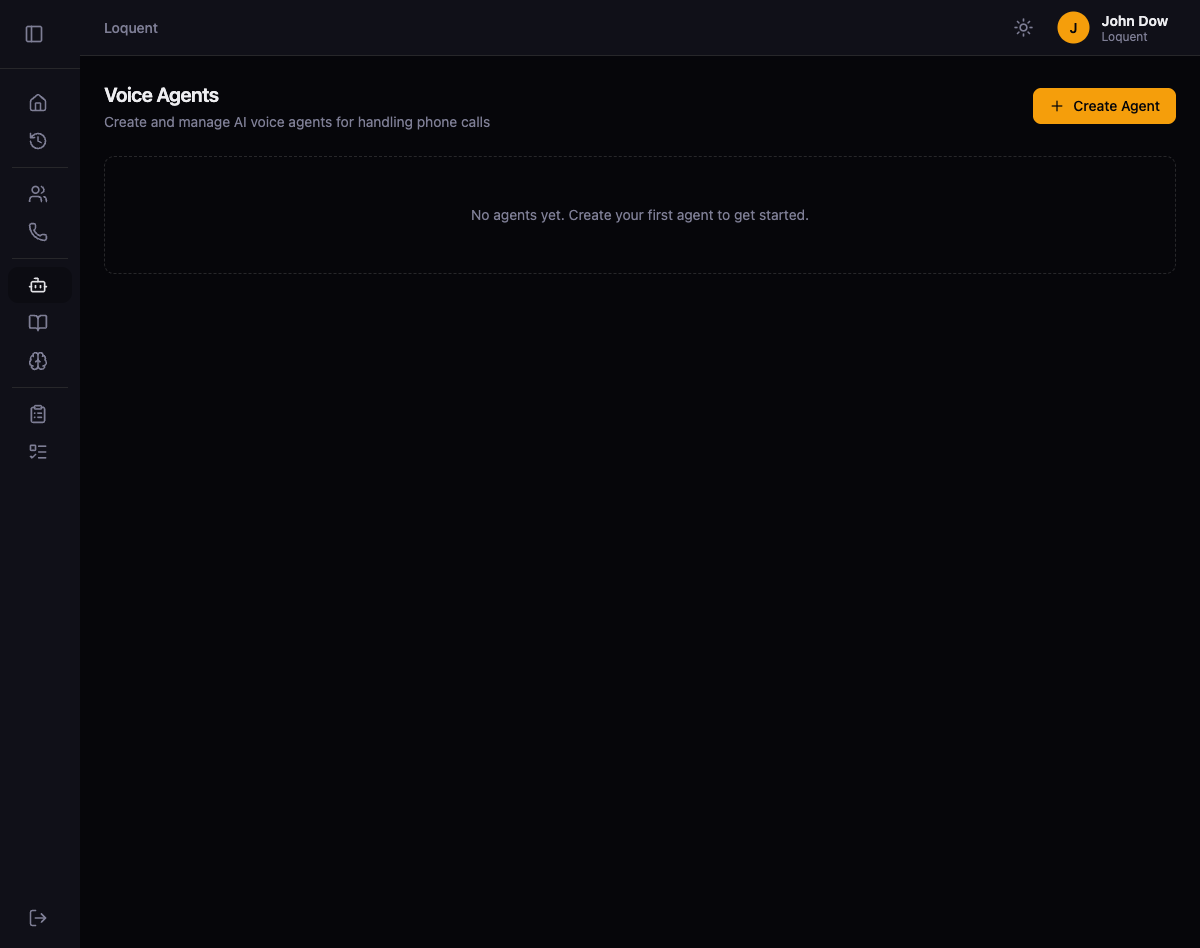
Section titled “Open the Agents page”Click Agents in the sidebar. The Voice Agents page lists all agents in your organization. If this is your first time here, the page shows an empty state with a prompt to create your first agent.
Create a new agent
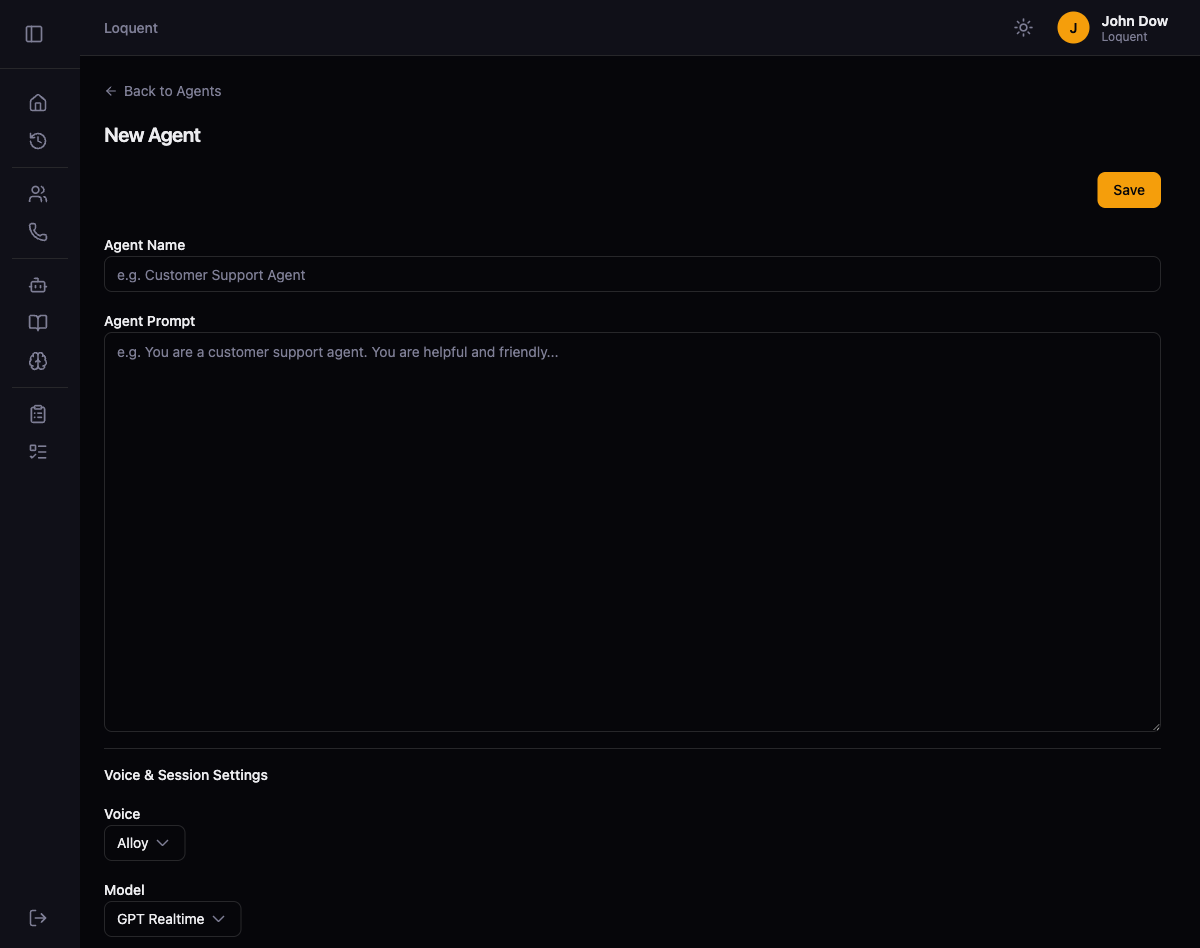
Section titled “Create a new agent”Click + Create Agent to open the agent creation form. Fill in the two required fields at the top of the page:
| Field | Description | Example |
|---|---|---|
| Agent Name | A display name that identifies this agent across the platform | Customer Support Agent |
| Agent Prompt | Instructions that define how the agent behaves on calls. Write this as a system prompt describing the agent’s role, personality, and guidelines. | You are a customer support agent. You are helpful and friendly... |
Configure voice and session settings
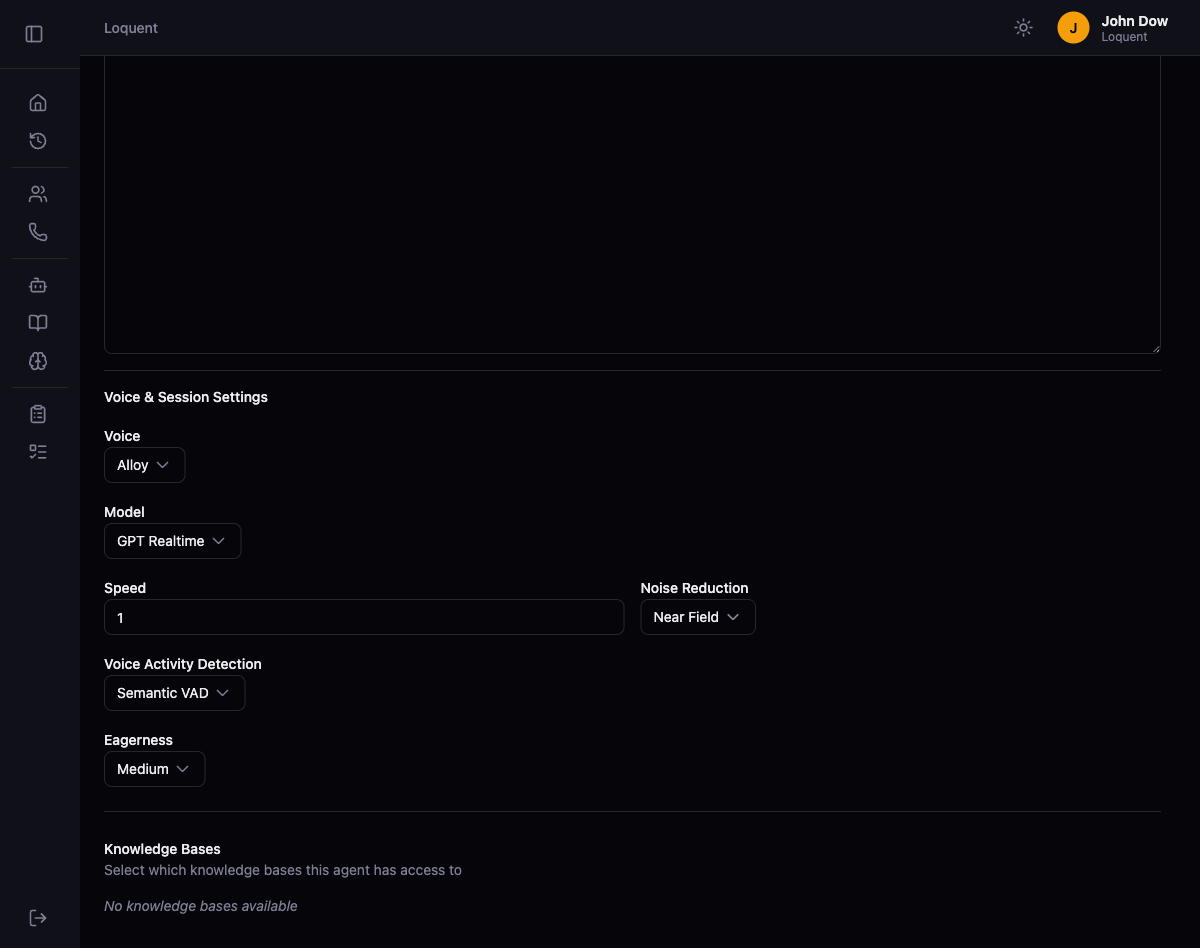
Section titled “Configure voice and session settings”Scroll down to the Voice & Session Settings section. These settings control how the agent sounds and processes speech during calls.
| Setting | Default | Description |
|---|---|---|
| Voice | Alloy | The text-to-speech voice the agent uses on calls |
| Model | GPT Realtime | The AI model that powers the agent’s responses |
| Speed | 1 | Speech rate multiplier. Higher values produce faster speech. |
| Noise Reduction | Near Field | Filters background noise from the caller’s audio |
| Voice Activity Detection | Semantic VAD | Determines when the caller has finished speaking before the agent responds |
| Eagerness | Medium | Controls how quickly the agent jumps in after detecting the caller has stopped talking |
The Knowledge Bases section at the bottom lets you attach documents the agent can reference during calls. If you have not created any knowledge bases yet, this section shows “No knowledge bases available.”
Save the agent
Section titled “Save the agent”Click Save in the top-right corner of the page. Loquent redirects you to the Agents list where your new agent appears.